The Lazy Architect’s Guide to Fully Automated Data Pipelines on AWS
Let’s be honest. Building and managing data pipelines can feel like a never-ending chore. You’re constantly wrangling data, fixing broken connections, and monitoring everything. If you’re anything like me (a slightly lazy architect), you’d much rather set things up once and let the magic happen automatically.
Good news! AWS offers a fantastic suite of services that makes building fully automated data pipelines surprisingly straightforward. This guide will walk you through a simple, practical approach to achieving this state of data bliss, using clear language and focusing on the essentials.
What is a Fully Automated Data Pipeline Anyway?
Imagine this: data arrives in a source, gets automatically processed, transformed, and loaded into a destination for analysis – all without you lifting a finger (well, maybe just a few clicks initially). That’s the essence of a fully automated data pipeline. It eliminates manual steps, reduces errors, and frees up your time for more exciting tasks (like finally learning that new programming language… or taking a nap).
The Key Ingredients: AWS Services for Laziness
We’ll focus on a few key AWS services that play nicely together to build our automated pipeline:
- Amazon S3: Our trusty, scalable object storage for landing raw data. Think of it as your digital data lake.
- AWS Glue: The unsung hero for ETL (Extract, Transform, Load). Glue can crawl your data, understand its schema, and run serverless Spark jobs to transform it.
- Amazon Athena: A serverless query service that lets you analyze data directly in S3 using standard SQL. No infrastructure to manage!
- AWS Lambda: Serverless compute power. We can use Lambda to trigger workflows, orchestrate steps, or perform lightweight transformations.
- Amazon EventBridge: The event bus that ties everything together. It allows different AWS services to react to events, like a new file arriving in S3.
Our Simple Pipeline: From S3 to Insights
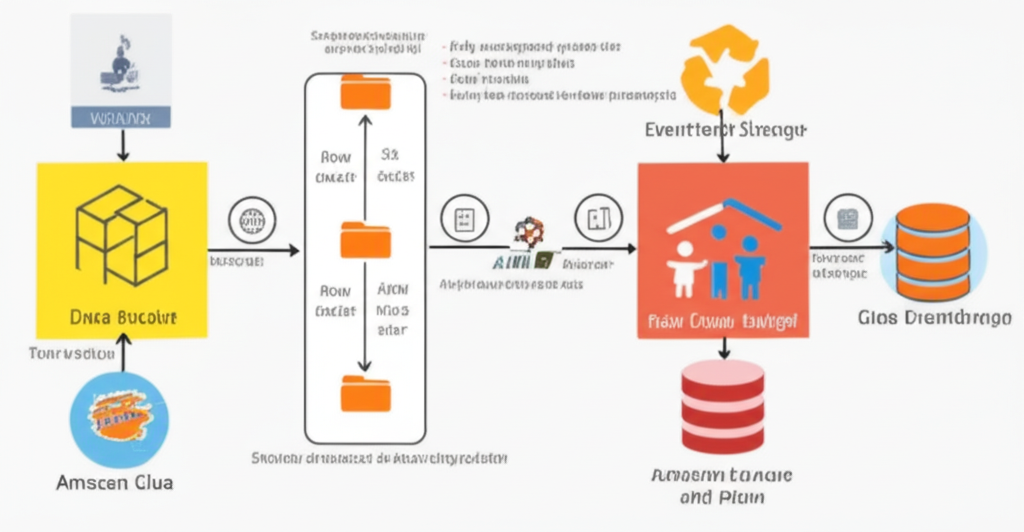
Let’s outline a basic, yet powerful, automated pipeline:
- Data Arrival: Raw data files (e.g., CSV, JSON) are dropped into a designated S3 bucket.
- Triggering the Magic: EventBridge detects the new file arrival in S3.
- Schema Discovery (Optional but Recommended): EventBridge triggers an AWS Glue crawler to automatically infer the schema of the new data. This keeps your data catalog up-to-date without manual intervention.
- Data Transformation: EventBridge triggers an AWS Glue job. This job reads the raw data from S3, performs any necessary transformations (cleaning, filtering, joining), and writes the processed data back to another S3 location.
- Ready for Analysis: The transformed data in S3 is now ready to be queried using Amazon Athena. You can connect your favorite BI tools to Athena and start gaining insights.
The “Lazy” Steps to Implementation
Here’s a high-level overview of how to set this up without breaking a sweat:
- Create S3 Buckets: You’ll need at least two buckets: one for raw data and one for processed data. Give them descriptive names!
- Set up a Glue Crawler (Optional): Point the crawler to your raw data bucket and let it automatically discover your data’s structure. Schedule it to run periodically or trigger it on new data arrival.
- Develop a Glue ETL Job: Write your transformation logic using Python or Scala in the Glue console or by uploading a script. You’ll define how to read data from your raw bucket, apply transformations, and write it to the processed bucket.
- Create EventBridge Rules:
- Rule 1 (for Crawler): Trigger your Glue crawler when new objects are created in your raw data bucket (optional).
- Rule 2 (for ETL Job): Trigger your Glue ETL job when new objects are created in your raw data bucket (or after the crawler finishes, if you’re using one).
- Configure Athena: Point Athena to the S3 location where your transformed data resides. Athena will use the schema discovered by Glue (if you used it) to allow you to query the data.
Why This Approach is “Lazy” (in a Good Way):
- Serverless: Most of these services (S3, Glue, Athena, Lambda, EventBridge) are serverless. You don’t have to manage any underlying infrastructure. AWS takes care of scaling and availability.
- Automation First: The entire pipeline is triggered and executed automatically based on events. No manual intervention needed after the initial setup.
- Scalability: AWS services are designed to handle massive amounts of data without requiring you to re-architect anything.
- Cost-Effective: You only pay for what you use with these services, making it a very efficient approach.
Further Steps for the Truly Lazy Architect:
- Parameterization: Make your Glue jobs more flexible by using parameters to handle different data sources or transformations.
- Monitoring and Alerting: Integrate CloudWatch with your pipeline to monitor job success, duration, and any errors. Set up alerts to notify you of any issues.
- Version Control: Use tools like AWS CodeCommit to manage your Glue job scripts and infrastructure-as-code tools like CloudFormation or AWS CDK to manage your entire pipeline setup.
Conclusion: Embrace the Automation!
Building fully automated data pipelines on AWS doesn’t require you to be a superhero data engineer. By leveraging the power of serverless services like S3, Glue, Athena, and EventBridge, you can create robust and efficient pipelines with minimal effort. So go ahead, embrace the “lazy” approach, automate your data workflows, and reclaim your time for more important things (like that well-deserved coffee break).