Serverless vs. Provisioned: The Brutal Truth About DynamoDB Pricing
Amazon DynamoDB is a fantastic NoSQL database, known for its speed and scalability. But when it comes to pricing, things can get a little…well, let’s just say it can be a surprise if you’re not careful. One of the first choices you’ll face is whether to use Provisioned Capacity or On-Demand (Serverless) Capacity. Both have their pros and cons, and understanding the “brutal truth” about their pricing is crucial for your budget.
Let’s break it down in simple terms:
1. Provisioned Capacity: Planning Ahead (and Paying for It)
Think of provisioned capacity like pre-ordering a certain amount of food for a party. You estimate how many people will come and how much they’ll eat, and you pay for that amount upfront.
- How it works: You specify the read capacity units (RCUs) and write capacity units (WCUs) your application expects to consume per second. AWS then reserves that capacity for you.
- Pricing: You pay an hourly rate for the capacity you’ve provisioned, regardless of whether your application actually uses it fully.
- Best for: Workloads with predictable traffic patterns. If you know your application will consistently have a certain level of read and write activity, provisioned capacity can be more cost-effective.
- The Brutal Truth: You can end up paying for idle capacity. If your traffic is spiky and often lower than your provisioned amount, you’re essentially wasting money. You also need to constantly monitor and adjust your provisioned capacity to avoid throttling (when you exceed your limits) or overpaying.
2. On-Demand (Serverless) Capacity: Pay-As-You-Go Flexibility
On-demand capacity is like ordering food at a restaurant. You only pay for what you actually consume.
- How it works: DynamoDB automatically scales capacity up or down based on your application’s actual read and write traffic. You don’t need to specify any capacity beforehand.
- Pricing: You are billed based on the actual number of read request units (RRUs) and write request units (WRUs) your application uses.
- Best for: Workloads with unpredictable or highly variable traffic patterns. Startups, applications with seasonal spikes, or those where you’re unsure about the initial traffic volume can benefit greatly from this model.
- The Brutal Truth: The cost per read/write unit is typically higher with on-demand capacity compared to provisioned capacity. If your application has consistently high traffic, the total bill can become significantly more expensive than a well-optimized provisioned setup.
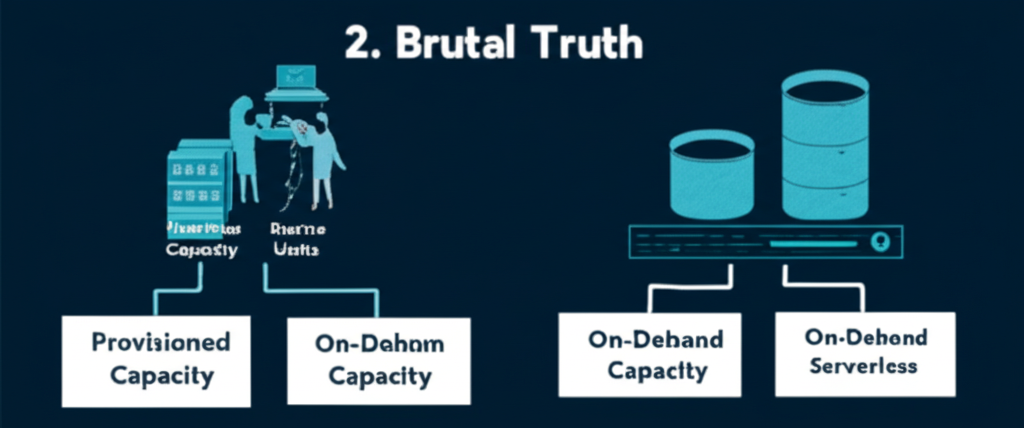
The Brutal Truth Summarized:
| Feature | Provisioned Capacity | On-Demand (Serverless) Capacity |
|---|---|---|
| Capacity | You define it. | AWS manages it automatically. |
| Pricing | Hourly rate for provisioned units. | Per request unit (RRU/WRU) consumed. |
| Cost-Effective For | Predictable, consistent traffic. | Unpredictable, variable, or low traffic. |
| Management | Requires monitoring and adjustments. | Minimal management overhead. |
| Potential Pitfalls | Paying for idle capacity, throttling. | Higher cost per unit for consistent high traffic. |
Making the Right Choice:
There’s no one-size-fits-all answer. Here’s a simple guide:
- Start with On-Demand: If you’re launching a new application and don’t have a clear idea of traffic patterns, on-demand is often the safer choice to avoid initial over-provisioning. You can always switch to provisioned later.
- Analyze Your Traffic: Use CloudWatch metrics to understand your application’s read and write patterns. Look for consistency and predictability.
- Consider Cost vs. Effort: Provisioned capacity can be cheaper for stable workloads, but it requires ongoing monitoring and tuning. On-demand offers simplicity but can become expensive at scale.
- Hybrid Approach (Auto Scaling): For provisioned capacity, leverage DynamoDB auto scaling to automatically adjust your provisioned RCUs and WCUs within defined limits based on actual utilization. This can help bridge the gap between cost-efficiency and responsiveness to traffic changes.
- Reserved Capacity: For consistently high provisioned capacity needs, consider reserved capacity to get significant discounts.
Conclusion:
The “brutal truth” about DynamoDB pricing is that you need to be mindful of your workload patterns and choose the capacity mode that aligns best with them. Don’t just set it and forget it. Regularly review your usage and cost to ensure you’re not overpaying or running into performance issues. By understanding the nuances of provisioned and on-demand capacity, you can harness the power of DynamoDB without breaking the bank.