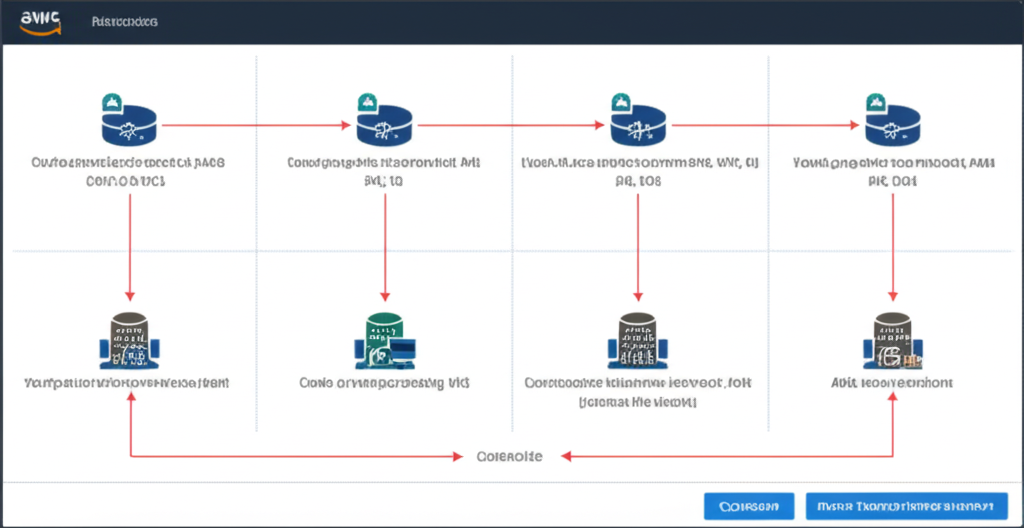
Launch Your Cloud Fortress: Deploy a Production-Ready AWS Core Infrastructure in Under 10 Minutes
Building a solid foundation is crucial for any successful application deployment. On AWS, your core infrastructure acts as this foundation, providing the essential building blocks for your workloads. Traditionally, setting up networks, security, and basic compute resources could take hours, even days. But what if you could have a production-ready core infrastructure up and running in under 10 minutes?
This post will guide you through how AWS Core Infrastructure Services, combined with automation, make this a reality. We’ll focus on the key services and demonstrate how you can leverage them for rapid deployment.
What is AWS Core Infrastructure?
Think of AWS Core Infrastructure as the fundamental services that provide the underlying environment for your applications. These typically include:
- Amazon Virtual Private Cloud (VPC): Your logically isolated section of the AWS Cloud where you launch AWS resources in a virtual network that you define.
- Subnets: Sections of your VPC that can contain resources. You can have public subnets for resources that need internet access and private subnets for resources that should not.
- Internet Gateway (IGW): A VPC resource that allows communication between instances in your VPC and the internet.
- NAT Gateway: Allows instances in your private subnets to connect to the internet or other AWS services, but prevents the internet from initiating a connection with those instances.
- Route Tables: Contain rules (routes) that determine where network traffic from your subnet or gateway is directed.
- Security Groups: Act as virtual firewalls for your EC2 instances, controlling inbound and outbound traffic at the instance level.
- IAM (Identity and Access Management): Enables you to securely control access to AWS services and resources. While not strictly a network component, it’s fundamental to your core infrastructure’s security.
The Traditional Way (and why it takes time):
Manually configuring each of these components through the AWS Management Console can be a time-consuming and error-prone process. You need to:
- Create a VPC.
- Define and create multiple subnets (public and private).
- Set up an Internet Gateway and attach it to your VPC.
- Configure Route Tables for public and private subnets, associating them with the IGW and NAT Gateway.
- Launch a NAT Gateway in a public subnet and configure its route.
- Create and configure Security Groups with specific rules.
- Potentially configure IAM roles for your future resources.
Each step involves navigating the console, inputting parameters, and ensuring everything is correctly connected.
The Fast Way: Infrastructure as Code (IaC)
The key to deploying a production-ready core infrastructure in under 10 minutes lies in Infrastructure as Code (IaC). IaC involves managing and provisioning your infrastructure using code rather than manual processes. This brings several benefits:
- Speed and Efficiency: Automate the entire deployment process, reducing manual effort and time.
- Consistency: Ensure your infrastructure is deployed in a consistent and repeatable manner.
- Version Control: Manage your infrastructure configurations like software code, allowing for versioning and rollback capabilities.
- Reduced Errors: Minimize the risk of human errors associated with manual configuration.
AWS Tools for Rapid Core Infrastructure Deployment:
AWS provides powerful tools that enable IaC:
- AWS CloudFormation: A service that allows you to define and provision AWS infrastructure as code using YAML or JSON templates. You describe your desired state, and CloudFormation handles the creation and management of the resources.
- AWS CDK (Cloud Development Kit): An open-source software development framework that allows you to define your cloud infrastructure in familiar programming languages like Python, TypeScript, Java, and .NET. CDK then synthesizes these definitions into CloudFormation templates.
- AWS CLI (Command Line Interface): A powerful tool that allows you to interact with AWS services through commands. You can script infrastructure creation and management tasks.
Example: Deploying a Basic Core Infrastructure with CloudFormation (Conceptual)
Imagine a simple CloudFormation template that defines:
- A VPC with a specified CIDR block.
- Two public subnets and two private subnets across different Availability Zones.
- An Internet Gateway attached to the VPC.
- A NAT Gateway in one of the public subnets.
- Route tables configured for public and private subnets, directing traffic appropriately.
- Basic security groups for web servers and database servers.
By simply uploading this template to CloudFormation or using the AWS CLI to create a CloudFormation stack, AWS will automatically provision all these resources in minutes.
Steps to Deploy in Under 10 Minutes (Conceptual):
- Plan your Core Infrastructure: Define your network topology, subnet sizes, and basic security requirements.
- Create your IaC Template: Choose your preferred IaC tool (CloudFormation, CDK, or even well-crafted CLI scripts) and define your core infrastructure resources in code. Many pre-built templates and CDK constructs are available to accelerate this process.
- Execute your IaC Code: Use the AWS Management Console, CLI, or your CI/CD pipeline to deploy your infrastructure based on your template or code.
- Verification: Once the deployment is complete, verify that your VPC, subnets, gateways, and route tables are configured as expected.
Production-Ready Considerations:
While rapid deployment is fantastic, ensure your core infrastructure is also production-ready:
- Multi-AZ Deployment: Distribute your resources across multiple Availability Zones for higher availability and fault tolerance.
- Proper Subnetting: Design your subnets based on your security and routing requirements (public vs. private).
- Secure Network Connectivity: Utilize Security Groups and Network ACLs (Network Access Control Lists) to control traffic at both the instance and subnet levels.
- Scalability and Performance: Choose appropriate CIDR block sizes and consider future scaling needs.
- Monitoring and Logging: Integrate with AWS CloudWatch for monitoring your network and resource performance.
Conclusion:
Deploying a production-ready AWS core infrastructure in under 10 minutes is no longer a futuristic idea. By embracing Infrastructure as Code and leveraging powerful AWS services like CloudFormation and CDK, you can automate the foundational steps of your cloud journey, freeing up valuable time and resources to focus on your applications and business logic. Start exploring these tools and experience the speed and efficiency of modern cloud infrastructure deployment!