Container Orchestration Deep Dive: EKS vs. ECS Best Practices on AWS
Choosing the right container orchestration platform on AWS is a critical decision for any organization leveraging microservices. Both Amazon Elastic Kubernetes Service (EKS) and Amazon Elastic Container Service (ECS) offer robust capabilities, but understanding their nuances and best practices is key to making an informed choice. This post delves into a comparative analysis, highlighting best practices for advanced users.
Analogy: The Tailoring Shop vs. The Ready-to-Wear Store
Think of EKS as a high-end tailoring shop. You have immense control over every stitch and seam. You bring your own pattern (Kubernetes configurations), choose your fabrics (EC2 instances or Fargate nodes), and the tailor (AWS) helps you assemble it all. This offers maximum flexibility but requires more expertise in design and execution.
ECS, on the other hand, is like a premium ready-to-wear store. AWS provides pre-designed outfits (task definitions and services) with various sizes and styles. You select what fits your needs, and while you can make minor alterations, the fundamental structure is pre-defined. This offers simplicity and faster deployment but with less granular control over the underlying infrastructure.
1. Cluster Setup and Management
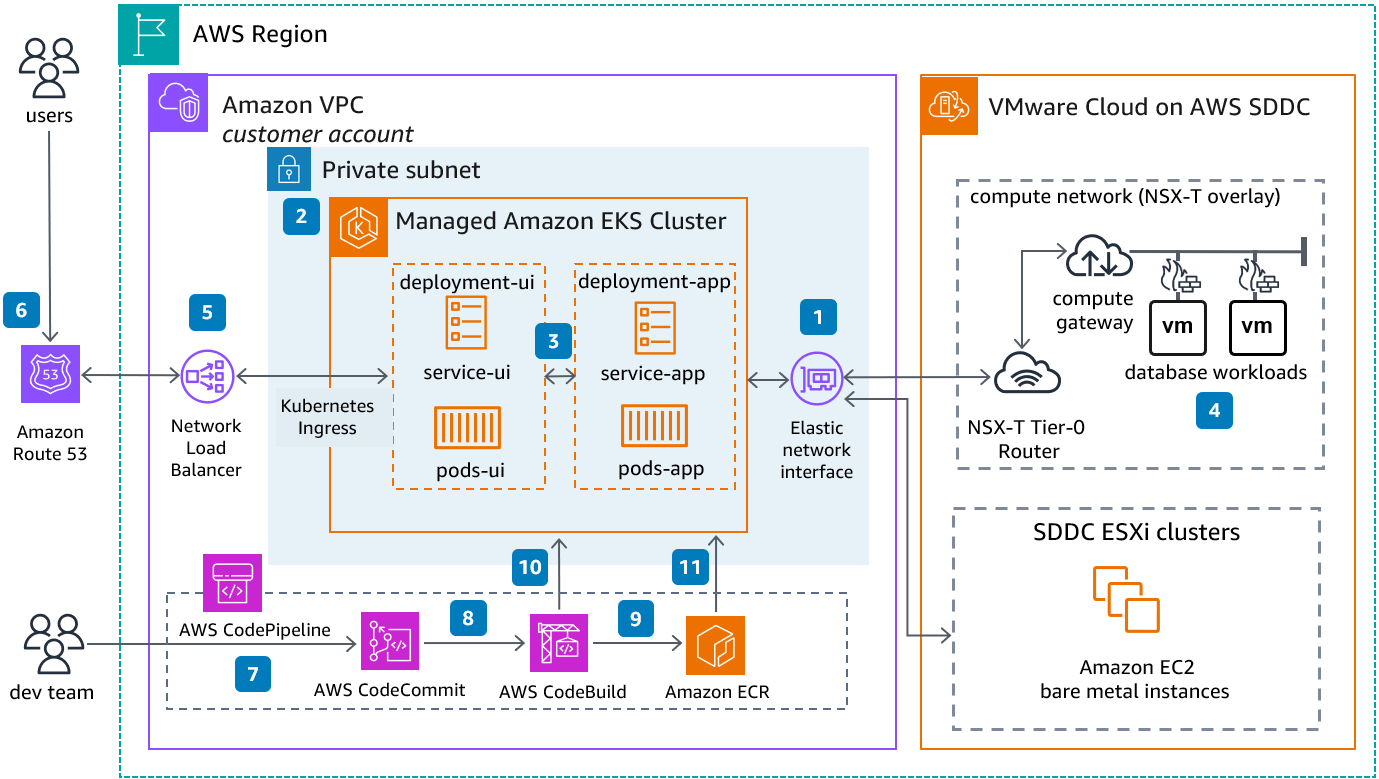
- EKS: Setting up an EKS cluster involves creating the control plane (managed by AWS) and worker nodes (which you manage, either EC2 or Fargate).
-
- Best Practice: Leverage
eksctl, the official CLI tool, or Infrastructure as Code (IaC) tools like Terraform or CloudFormation for consistent and repeatable cluster creation. - Best Practice: Implement robust security measures for your worker nodes, including security groups, IAM roles, and network policies.
- Best Practice: Leverage
-
- ECS: ECS setup is simpler. You create an ECS cluster, which is a logical grouping of your container instances (EC2) or serverless compute (Fargate).
- Best Practice: Utilize AWS CloudFormation or the AWS CLI to define and manage your ECS clusters.
- Best Practice: For EC2-backed clusters, leverage Auto Scaling groups for the container instances to ensure high availability and scalability.
2. Application Deployment and Scaling
- EKS: Deployment in EKS relies on Kubernetes manifests (YAML files) defining Deployments, Services, and other Kubernetes objects. Scaling is managed by Kubernetes Horizontal Pod Autoscaler (HPA) and Vertical Pod Autoscaler (VPA).
- Practical Example: Deploying a stateless web application involves creating a Deployment to manage replicas and a Service to expose it. HPA can be configured to scale the number of pods based on CPU utilization or custom metrics.
- Step-by-Step (Conceptual):
- Define your application Deployment YAML.
- Define your Service YAML for accessing the application.
- Apply these manifests using
kubectl apply -f <filename>.yaml. - Configure HPA to automatically scale the Deployment.
- ECS: ECS uses Task Definitions to define container specifications and Services to manage the desired number of tasks. Scaling is handled by ECS Service Auto Scaling.
- Practical Example: Deploying a worker service involves defining a Task Definition with the container image and resource requirements, and an ECS Service to ensure a specific number of these tasks are running. ECS Service Auto Scaling can adjust the number of tasks based on metrics like CPU or memory utilization.
- Step-by-Step (Conceptual):
- Create a Task Definition specifying your container image, resources, and ports.
- Create an ECS Service referencing the Task Definition and specifying the desired number of tasks and load balancing configuration (if applicable).
- Configure ECS Service Auto Scaling policies based on your scaling needs.
3. Networking and Load Balancing
- EKS: EKS integrates deeply with AWS networking. You can use AWS Load Balancer Controller to provision Application Load Balancers (ALBs) and Network Load Balancers (NLBs) for your Kubernetes Services. Network policies allow fine-grained control over pod-to-pod and external traffic.
- Best Practice: Utilize the AWS Load Balancer Controller for seamless integration of Kubernetes Services with ALBs/NLBs, providing features like automatic target group registration and deregistration.
- ECS: ECS offers built-in support for ALBs and NLBs through service definitions. You can also leverage security groups at the task level for network isolation.
- Best Practice: For public-facing applications, use ALBs for HTTP/HTTPS traffic and NLBs for TCP/UDP traffic. For internal communication, consider service discovery mechanisms like AWS Cloud Map.
4. Monitoring and Logging
- EKS: Monitoring in EKS typically involves deploying tools like Prometheus and Grafana within the cluster or integrating with AWS managed services like Amazon CloudWatch Container Insights. Logging can be handled by Fluentd or Fluent Bit sending logs to CloudWatch Logs or other centralized logging systems.
- Best Practice: Implement CloudWatch Container Insights for out-of-the-box metrics and logs for your EKS clusters and workloads.
- ECS: ECS integrates well with CloudWatch Container Insights, providing detailed performance metrics and logs for your containers and tasks.
- Best Practice: Leverage CloudWatch Logs for centralized logging of your ECS tasks and services. Use CloudWatch Alarms to proactively monitor key metrics and receive notifications.
5. Security
- EKS: Security in EKS is multi-layered, involving securing the control plane, worker nodes, and the applications running within the cluster. This includes IAM roles for service accounts (IRSA), network policies, and Kubernetes RBAC.
- Best Practice: Implement IRSA to provide fine-grained IAM permissions to your pods, following the principle of least privilege.
- Best Practice: Regularly audit your Kubernetes RBAC configurations to ensure proper authorization.
- ECS: ECS leverages IAM roles for tasks to grant permissions to AWS resources. Security groups can be used at the task definition level for network isolation. AWS Secrets Manager can be used to manage sensitive information.
- Best Practice: Utilize IAM roles for ECS tasks to avoid embedding credentials directly in your containers.
- Best Practice: Leverage AWS Secrets Manager for securely storing and retrieving secrets used by your containerized applications.
Use Cases:
- Choose EKS when:
- You have significant experience with Kubernetes or require the extensive flexibility and ecosystem of Kubernetes.
- You need fine-grained control over cluster configurations and access to the latest Kubernetes features.
- You have complex networking requirements or need advanced features like custom schedulers.
- You are migrating existing Kubernetes workloads to AWS.
- Choose ECS when:
- You prioritize simplicity and ease of use.
- You want tighter integration with the AWS ecosystem.
- You prefer a managed container orchestration service with less operational overhead.
- Your application requirements are straightforward and fit well within the ECS model.
Key Takeaways:
- EKS offers maximum flexibility and control, ideal for teams with Kubernetes expertise and complex requirements.
- ECS provides simplicity and tight AWS integration, well-suited for teams prioritizing ease of use and faster deployment.
- Best practices for both platforms emphasize Infrastructure as Code, robust security measures, and comprehensive monitoring and logging.
- Consider your team’s expertise, application complexity, and desired level of control when choosing between EKS and ECS.
By understanding the core differences and adopting these best practices, you can effectively leverage either EKS or ECS to build and manage scalable and resilient containerized applications on AWS.