Keeping a Close Eye on Your Kubernetes Cluster: Monitoring and Logging Best Practices
So, you’ve got your applications humming along in your Kubernetes cluster. That’s fantastic! But how do you know everything is running smoothly? How do you troubleshoot when things go wrong? The answer lies in monitoring and logging.
Think of it like this: if your Kubernetes cluster is a car, monitoring is your dashboard, showing you the speed, fuel level, and engine temperature. Logging is the car’s black box, recording every event that happens during the journey. Both are crucial for a safe and efficient ride.
This post will guide you through the essential best practices and tools for effective monitoring and logging in Kubernetes, keeping things clear and easy to understand for both beginners and intermediate users.
Why is Monitoring and Logging Important in Kubernetes?
In the dynamic and distributed world of Kubernetes, things can get complex quickly. Without proper monitoring and logging, you’re essentially flying blind. Here’s why it’s so vital:
- Early Problem Detection: Spot performance bottlenecks, resource exhaustion, and errors before they impact your users.
- Faster Troubleshooting: Quickly identify the root cause of issues by analyzing logs and metrics from different parts of your cluster.
- Performance Optimization: Understand how your applications and cluster resources are being utilized to make informed decisions about scaling and resource allocation.
- Security Auditing: Track access and events within your cluster for security analysis and compliance.
- Service Level Objective (SLO) Adherence: Monitor key performance indicators (KPIs) to ensure you’re meeting your defined SLOs.
Best Practices for Kubernetes Monitoring
Let’s dive into some key best practices for setting up effective monitoring:
- Monitor Key Metrics at Different Levels: You need a holistic view of your cluster. This means monitoring metrics at various levels:
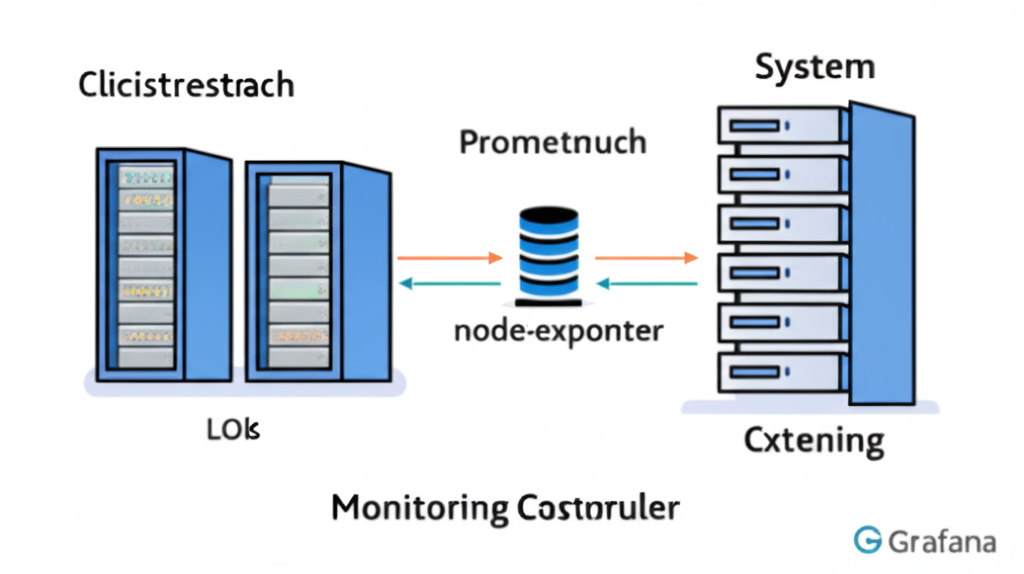
- Node Level: CPU utilization, memory pressure, disk I/O, network traffic of your worker nodes. Tools like node-exporter are excellent for this.
- Pod Level: Resource consumption (CPU, memory), container restarts, application-specific metrics. Many monitoring solutions integrate with the Kubernetes API to collect this data.
- Application Level: Business-specific KPIs, request latency, error rates. This often requires instrumenting your applications with libraries that expose metrics in formats like Prometheus.
- Control Plane Level: Health and performance of your Kubernetes master components (kube-apiserver, etcd, kube-scheduler, etc.). Monitoring tools often have built-in integrations for this.
- Set Meaningful Alerts: Monitoring data is only useful if you’re alerted when something goes wrong.
- Define clear thresholds: Don’t just alert on everything. Focus on thresholds that indicate a real problem or potential issue.
- Route alerts to the right teams: Ensure the appropriate people are notified based on the nature of the alert.
- Avoid alert fatigue: Too many noisy alerts will lead to them being ignored. Fine-tune your thresholds and ensure alerts are actionable.
- Visualize Your Data: Charts and dashboards make it much easier to understand trends and identify anomalies. Tools like Grafana are commonly used to visualize metrics collected by Prometheus.
- Use a Time Series Database: Kubernetes generates a lot of data over time. A time series database, like Prometheus, is designed to efficiently store and query this type of data with timestamps.
- Integrate with Existing Systems: If you already have monitoring tools in place, explore how you can integrate them with your Kubernetes environment.
Best Practices for Kubernetes Logging
Effective logging is equally crucial for understanding what’s happening inside your containers and across your cluster:
- Standardized Logging Format: Ensure your applications log in a consistent and structured format (e.g., JSON). This makes it easier to parse and analyze logs.
-
Centralized Logging System: Collect logs from all your pods and nodes into a central location. This provides a single place to search and analyze logs, simplifying troubleshooting. Popular choices include the ELK stack (Elasticsearch, Logstash, Kibana) and the EFK stack (Elasticsearch, Fluentd/Fluent Bit, Kibana).
-
Use Meaningful Log Levels: Employ appropriate log levels (e.g., DEBUG, INFO, WARNING, ERROR, FATAL) to filter and prioritize information.
-
Include Context in Your Logs: Add relevant context to your log messages, such as pod name, namespace, container name, and timestamps. This helps you pinpoint the source of an issue.
-
Implement Log Rotation and Retention Policies: Manage the volume of your logs by implementing rotation policies to prevent disk space exhaustion and retention policies to comply with any regulations.
Popular Monitoring and Logging Tools for Kubernetes
Here’s a quick overview of some commonly used tools:
Monitoring:
- Prometheus: A powerful open-source monitoring and alerting toolkit, widely adopted in the Kubernetes ecosystem. It excels at collecting and storing time-series data.
- Grafana: A popular open-source data visualization and dashboarding tool that integrates seamlessly with Prometheus and other data sources.
- kube-state-metrics: Listens to the Kubernetes API server and generates metrics about the state of objects like deployments, pods, and nodes.
- node-exporter: Collects hardware and OS-level metrics from your nodes.
- Datadog, New Relic, Dynatrace: Commercial APM (Application Performance Monitoring) solutions that offer comprehensive Kubernetes monitoring capabilities.
Logging:
- Elasticsearch: A highly scalable search and analytics engine used for storing and searching logs.
- Logstash: A data processing pipeline that can collect, transform, and forward logs to Elasticsearch.
- Fluentd and Fluent Bit: Open-source data collectors that can gather logs from various sources and forward them to different backends like Elasticsearch. Fluent Bit is lightweight and often preferred for resource-constrained environments.
- Kibana: A powerful data visualization and exploration tool that works well with Elasticsearch, allowing you to create dashboards and analyze your logs.
- Loki: A horizontally-scalable, highly-available, multi-tenant log aggregation system inspired by Prometheus. It indexes metadata about logs rather than the full log content, making it resource-efficient.
Getting Started
Implementing comprehensive monitoring and logging doesn’t have to happen overnight. Start with the basics:
- Deploy a node-exporter and kube-state-metrics to get basic node and cluster-level metrics.
- Set up Prometheus and Grafana to collect and visualize these metrics.
- Configure a basic logging stack using Fluent Bit and Elasticsearch/Loki to centralize your container logs.
As you become more comfortable, you can gradually implement more advanced practices and explore other tools that fit your specific needs.
Conclusion
Monitoring and logging are not just afterthoughts in Kubernetes; they are fundamental pillars for running a healthy, reliable, and performant cluster. By adopting these best practices and leveraging the right tools, you’ll gain invaluable insights into your applications and infrastructure, enabling you to proactively address issues and ensure a smooth experience for your users. So, start investing in your observability setup today – your future self (and your users) will thank you!