Managing App Configurations in Kubernetes: A Beginner-Friendly Guide to ConfigMaps and Secrets
Deploying applications in Kubernetes often requires configuring them with various settings, from database connection strings to API keys. Manually hardcoding these configurations into your application code or Docker images is generally a bad idea – it makes updates difficult, introduces security risks, and hinders environment portability.
Fortunately, Kubernetes provides elegant solutions for managing application configurations: ConfigMaps and Secrets. Think of them as special Kubernetes objects designed to hold configuration data and sensitive information, respectively, and make them easily accessible to your pods.
Let’s dive into each of them:
1. ConfigMaps: Externalizing Application Configuration
What are ConfigMaps?
ConfigMaps are Kubernetes objects used to store non-sensitive configuration data in key-value pairs. Imagine a simple configuration file like this:
app.properties
DATABASE_URL=mydb.example.com:5432
CACHE_ENABLED=true
LOG_LEVEL=INFO
You can represent this configuration in a Kubernetes ConfigMap. This allows you to decouple your application code from its configuration.
Why use ConfigMaps?
- Decoupling Configuration from Code: Changes to configuration don’t require rebuilding your Docker images or redeploying your application code.
- Environment Portability: The same application image can be deployed in different environments (development, staging, production) simply by using different ConfigMaps.
- Simplified Management: Kubernetes manages the configuration, making it easier to update and track changes.
How to create a ConfigMap:
You can create ConfigMaps in several ways:
- Using
kubectl create configmapcommand:- From literal values:
bash

kubectl create configmap app-config --from-literal=DATABASE_URL=mydb.example.com:5432 --from-literal=CACHE_ENABLED=true --from-literal=LOG_LEVEL=INFO - From a file:
bash

kubectl create configmap app-config --from-file=path/to/your/app.properties - From a directory (will create multiple key-value pairs):
bash

kubectl create configmap app-config --from-file=path/to/config/directory
- From literal values:
-
Using a YAML definition:
Create a YAML file (e.g.,
configmap.yaml):yaml
apiVersion: v1
kind: ConfigMap
metadata:
name: app-config
data:
DATABASE_URL: "mydb.example.com:5432"
CACHE_ENABLED: "true"
LOG_LEVEL: "INFO"Then apply it using
kubectl apply -f configmap.yaml.
How to use ConfigMaps in your Pods:
You can consume ConfigMap data in your pods in a few ways:
- As environment variables: This is a common and straightforward method. In your pod or deployment definition:
yaml

apiVersion: apps/v1

kind: Deployment

metadata:

  name: my-app

spec:

  replicas: 1

  selector:

    matchLabels:

      app: my-app

  template:

    metadata:

      labels:

        app: my-app

    spec:

      containers:

        - name: my-app-container

          image: your-registry/your-app-image:latest

          envFrom:

            - configMapRef:

                name: app-config
This will inject
DATABASE_URL,CACHE_ENABLED, andLOG_LEVELas environment variables into your container. -
As volume mounts: You can mount the ConfigMap data as files within your container’s filesystem:
yaml

apiVersion: apps/v1

kind: Deployment

metadata:

  name: my-app

spec:

  replicas: 1

  selector:

    matchLabels:

      app: my-app

  template:

    metadata:

      labels:

        app: my-app

    spec:

      volumes:

        - name: config-volume

          configMap:

            name: app-config

      containers:

        - name: my-app-container

          image: your-registry/your-app-image:latest

          volumeMounts:

            - name: config-volume

              mountPath: /etc/config

              readOnly: true
This will create files named
DATABASE_URL,CACHE_ENABLED, andLOG_LEVELinside the/etc/configdirectory of your container, with their respective values as content.
2. Secrets: Managing Sensitive Information Securely
What are Secrets?
Secrets are Kubernetes objects designed to store sensitive information, such as passwords, API tokens, and private keys. Unlike ConfigMaps, Secrets are stored in etcd in an encoded form (though not truly encrypted by default, so further measures are often recommended for production environments).
Why use Secrets?
- Security: Prevents hardcoding sensitive data in your application code or configuration files, reducing the risk of accidental exposure.
- Access Control: You can control which pods and users have permission to access specific Secrets.
- Centralized Management: Kubernetes manages the lifecycle and distribution of sensitive information.
How to create a Secret:
Similar to ConfigMaps, you can create Secrets using kubectl or YAML definitions:
- Using
kubectl create secretcommand:- From literal values:
bash

kubectl create secret generic db-credentials --from-literal=username=myuser --from-literal=password=mypassword -
From a file (values will be base64 encoded):
bash

kubectl create secret generic tls-cert --from-file=cert.pem --from-file=key.pem
- From literal values:
-
Using a YAML definition:
Create a YAML file (e.g.,
secret.yaml):yaml
apiVersion: v1
kind: Secret
metadata:
name: db-credentials
type: Opaque
data:
username: bXl1c2Vy # Base64 encoded "myuser"
password: bXlwYXNzd29yZA== # Base64 encoded "mypassword"Important: The values in the
datafield must be base64 encoded. You can use tools likebase64on Linux/macOS to encode your sensitive data before including it in the YAML.Then apply it using
kubectl apply -f secret.yaml.
How to use Secrets in your Pods:
You can consume Secret data in your pods in ways similar to ConfigMaps:
- As environment variables:
yaml

apiVersion: apps/v1

kind: Deployment

metadata:

  name: my-app

spec:

  replicas: 1

  selector:

    matchLabels:

      app: my-app

  template:

    metadata:

      labels:

        app: my-app

    spec:

      containers:

        - name: my-app-container

          image: your-registry/your-app-image:latest

          env:

            - name: DB_USERNAME

              valueFrom:

                secretKeyRef:

                  name: db-credentials

                  key: username

            - name: DB_PASSWORD

              valueFrom:

                secretKeyRef:

                  name: db-credentials

                  key: password
This will inject
DB_USERNAMEandDB_PASSWORDenvironment variables into your container with the values from thedb-credentialsSecret. -
As volume mounts:
yaml

apiVersion: apps/v1

kind: Deployment

metadata:

  name: my-app

spec:

  replicas: 1

  selector:

    matchLabels:

      app: my-app

  template:

    metadata:

      labels:

        app: my-app

    spec:

      volumes:

        - name: db-credentials-volume

          secret:

            secretName: db-credentials

      containers:

        - name: my-app-container

          image: your-registry/your-app-image:latest

          volumeMounts:

            - name: db-credentials-volume

              mountPath: /etc/secrets

              readOnly: true
This will mount the
db-credentialsSecret as files (e.g.,username,password) inside the/etc/secretsdirectory of your container.
Important Considerations for Secrets:
- Encoding vs. Encryption: Remember that Secrets are only base64 encoded by default, not truly encrypted at rest in etcd. For sensitive production environments, consider using external secret management solutions or Kubernetes Secrets encryption at rest.
- Access Control (RBAC): Implement Role-Based Access Control (RBAC) to restrict who can create, view, and manage Secrets in your cluster.
- Avoid Putting Large Amounts of Data in Secrets: Secrets are typically intended for small pieces of sensitive data.
Conclusion
ConfigMaps and Secrets are essential Kubernetes objects for managing application configurations effectively and securely. By externalizing your configurations and properly handling sensitive information, you can build more robust, portable, and secure applications on Kubernetes. Understanding how to create and consume these objects is a fundamental step in your Kubernetes journey. Start experimenting with them in your deployments to experience the benefits firsthand!
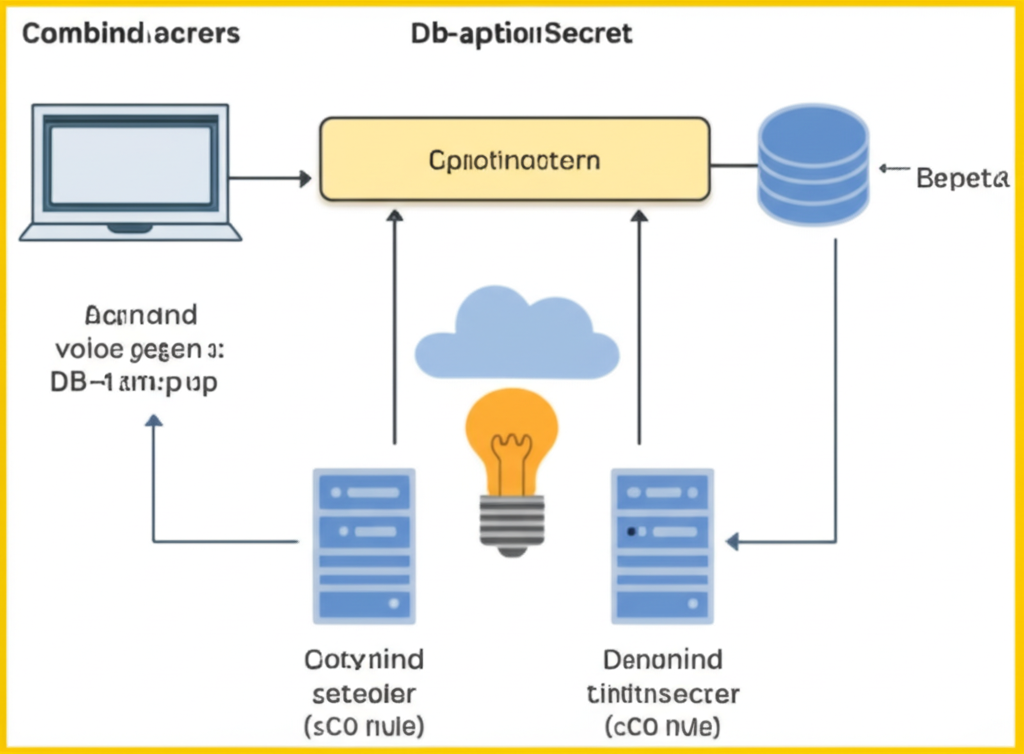
Now, let’s visualize this concept.
This image depicts a user (Combined.acrcrs) interacting with a computer, creating or updating configuration data (Db-aptionSecret and Actinand voioe gegen 🙂 DB-lam:p up). This configuration flows into a central yellow box labeled “Cpiotinoactern,” representing Kubernetes’ management of configurations. Below, a lightbulb inside a cloud symbolizes the application. Two server icons represent ConfigMap controller (Cotynind seteoier (sCO nule)) and Secret controller (Denonind tintitnserer (cCO nule)), feeding configuration and secrets into the application. Finally, a database icon (Bepeta) shows the application using the configured data.