Full-Stack Monitoring: Seeing the Whole Picture with AWS
In today’s complex application landscape, understanding how each layer of your stack is performing is crucial. Gone are the days of isolated monitoring tools. We need a unified view, a single pane of glass that shows us everything from the frontend to the backend. That’s where full-stack monitoring comes in.
In this blog post, we’ll explore how to build a unified dashboard using three powerful AWS services: CloudWatch, X-Ray, and Prometheus. We’ll keep it simple and focus on a practical approach, perfect for beginners and intermediate AWS users.
Why Full-Stack Monitoring Matters
Imagine your application is slow. Before full-stack monitoring, you might spend hours bouncing between different tools:
- Frontend guys are checking browser performance.
- Backend devs are looking at server logs.
- Ops teams are monitoring infrastructure.
Without a unified view, pinpointing the root cause becomes a frustrating and time-consuming exercise. Full-stack monitoring helps you:
- Quickly identify issues: See problems across your entire stack in one place.
- Reduce Mean Time To Resolution (MTTR): Faster identification leads to faster fixes.
- Understand dependencies: See how different parts of your application interact and how failures cascade.
- Optimize performance: Identify bottlenecks and areas for improvement.
Our Toolkit: CloudWatch, X-Ray, and Prometheus
Let’s briefly introduce our monitoring heroes:
- CloudWatch: AWS’s native monitoring service. It collects metrics, logs, and events from your AWS resources (EC2 instances, databases, etc.) and allows you to create alarms and dashboards.
- X-Ray: A distributed tracing service. It helps you trace requests as they travel through your application, allowing you to identify bottlenecks and understand dependencies. Think of it as a flashlight for your requests.
- Prometheus: An open-source monitoring and alerting toolkit. It’s especially popular for monitoring containerized applications (like those running in Kubernetes) and can be integrated with AWS via CloudWatch metrics.
Building the Unified Dashboard: A Step-by-Step Approach
We’ll outline the steps for a basic setup, focusing on the conceptual flow. Implementation details will depend on your specific application architecture.
1. CloudWatch for Infrastructure and System Metrics:
- Collect Standard Metrics: CloudWatch automatically gathers basic metrics like CPU utilization, memory usage, and disk I/O for your EC2 instances, RDS databases, and other AWS services.
- Custom Metrics: If you need to monitor application-specific data (e.g., number of active users, request latency), you can publish custom metrics to CloudWatch using the AWS SDK or CloudWatch Agent. Example using Python:
import boto3 cloudwatch = boto3.client('cloudwatch') cloudwatch.put_metric_data( Namespace='MyApplication', MetricData=[ { 'MetricName': 'ActiveUsers', 'Unit': 'Count', 'Value': 150 }, ] ) - Create a Dashboard: In the CloudWatch console, create a dashboard and add widgets displaying the metrics you want to monitor. You can choose from different visualizations like line graphs, stacked area charts, and number widgets.
2. X-Ray for Request Tracing:
- Instrument Your Application: You need to instrument your application code to send trace data to X-Ray. AWS provides SDKs for various languages (Java, Node.js, Python, etc.) that simplify this process. The SDK automatically captures information about incoming requests, outgoing calls to other services, and database queries.
- Configure X-Ray Daemon: The X-Ray daemon receives trace data from your application and sends it to the X-Ray service. You need to run the daemon on your instances or containers.
- Analyze Traces: In the X-Ray console, you can view service maps that visually represent the flow of requests through your application. You can drill down into individual traces to identify bottlenecks and error sources.
- Integrate with CloudWatch: X-Ray provides metrics about your service latency, error rates, and fault percentages. You can publish these metrics to CloudWatch and add them to your dashboard. This allows you to correlate performance issues with specific request paths.
3. Prometheus for Containerized Application Metrics:
- Deploy Prometheus: Install Prometheus within your Kubernetes cluster or on dedicated EC2 instances. There are multiple deployment strategies; choose one that fits your infrastructure.
- Configure Prometheus to Scrape Metrics: Configure Prometheus to discover and scrape metrics from your application pods. This typically involves defining service discovery rules and configuring Prometheus to connect to the
/metricsendpoint of your application. - Expose Metrics in Prometheus Format: Your application needs to expose metrics in the Prometheus exposition format. Libraries are available for most programming languages to help with this. For example, in Python with the
prometheus_clientlibrary:from prometheus_client import start_http_server, Summary import random import time # Create a metric to track time spent and requests made. REQUEST_TIME = Summary('request_processing_seconds', 'Time spent processing request') # Decorate function with metric. @REQUEST_TIME.time() def process_request(t): """A dummy function that takes some time.""" time.sleep(t) if __name__ == '__main__': # Start up the server to expose the metrics. start_http_server(8000) # Generate some requests. while True: process_request(random.random()) - Connect Prometheus to CloudWatch: While Prometheus excels at data collection and storage, CloudWatch offers centralized dashboarding across your AWS infrastructure. There are several ways to integrate Prometheus with CloudWatch:
- Prometheus Remote Write: Configure Prometheus to stream metrics directly to CloudWatch.
- CloudWatch Agent: The CloudWatch Agent can scrape Prometheus metrics and publish them to CloudWatch.
- AWS Distro for OpenTelemetry (ADOT): ADOT can act as a bridge, collecting Prometheus metrics and forwarding them to CloudWatch.
- Add Prometheus Metrics to Your Dashboard: Once the Prometheus metrics are available in CloudWatch, add them to your unified dashboard. You can now visualize container performance alongside infrastructure metrics and request traces.
Putting it All Together: The Unified Dashboard
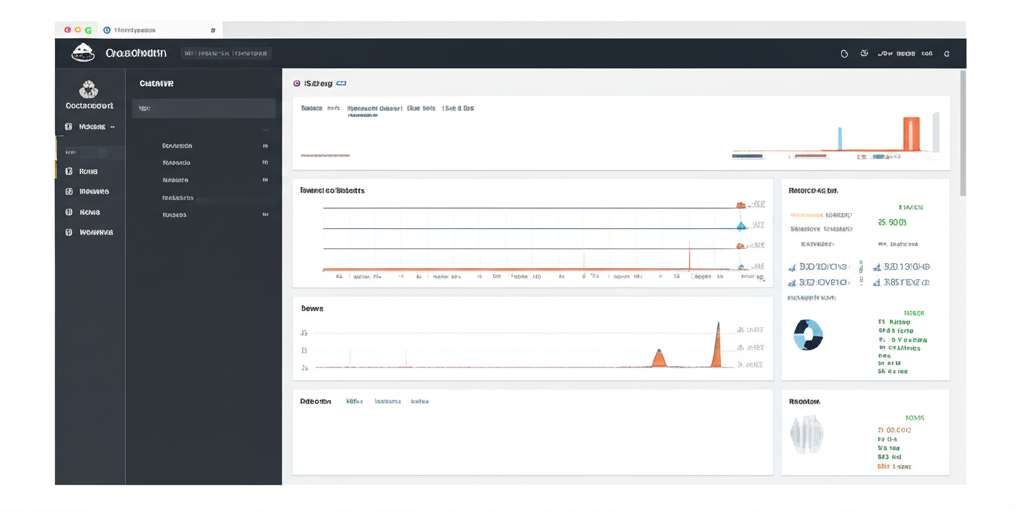
Your unified dashboard should now display:
- CloudWatch Metrics: CPU utilization, memory usage, disk I/O, database connection counts.
- X-Ray Metrics: Latency, error rates, fault percentages broken down by service. Request flow visualized as Service Map.
- Prometheus Metrics: Container resource utilization, request latency, application-specific metrics.
By correlating these different types of data, you can quickly identify the root cause of performance issues and resolve them efficiently. For example, if you see a spike in latency in X-Ray, you can correlate it with increased CPU utilization in CloudWatch or high container resource consumption in Prometheus.
Example Dashboard Sections:
- Overall Application Health: A high-level overview of key metrics like error rate, latency, and active users.
- Backend Performance: Detailed metrics about your backend services, including CPU utilization, memory usage, and database query performance.
- Frontend Performance: Metrics about browser load times, error rates, and user experience.
- Database Performance: Metrics related to database performance such as queries per second, slow queries, and connection pool utilization.
- Container Performance: Resource usage, request latency, and application-specific metrics.
Key Takeaways
- Start Simple: Don’t try to monitor everything at once. Start with the most critical metrics and gradually expand your monitoring coverage.
- Automate Everything: Use infrastructure-as-code tools like CloudFormation or Terraform to automate the deployment and configuration of your monitoring infrastructure.
- Set Up Alarms: Configure CloudWatch alarms to notify you when key metrics exceed predefined thresholds.
- Iterate and Improve: Continuously review your monitoring setup and make adjustments as your application evolves.
Conclusion
Full-stack monitoring is essential for building and maintaining modern applications. By combining the power of CloudWatch, X-Ray, and Prometheus, you can create a unified dashboard that provides a comprehensive view of your entire stack. This allows you to quickly identify and resolve issues, optimize performance, and ultimately deliver a better user experience. So, start experimenting and build your own unified monitoring dashboard today! Remember to tailor the setup to your specific application needs and always strive to improve your monitoring strategy. Happy monitoring!