The S3 Hidden Costs Nobody Tells You About
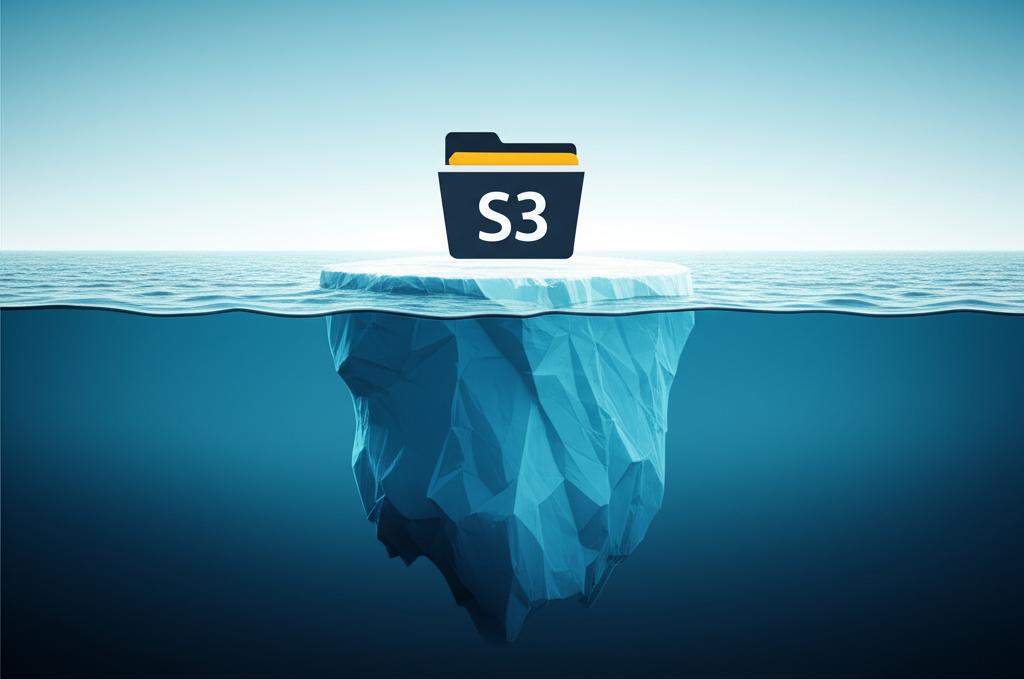
Amazon Simple Storage Service (S3) is a cornerstone of cloud computing. It’s where many of us store everything from website images to crucial business data. Its pay-as-you-go model and seemingly simple pricing are big attractions. However, just like an iceberg, there’s often more to S3 costs than what you see on the surface.
While the cost of storing data in S3 is usually the first thing people consider, several other factors can significantly impact your monthly bill. Understanding these “hidden costs” is crucial for managing your AWS expenses effectively. Let’s dive into some of these less obvious charges.
1. Data Transfer Costs: The Outbound Surprise
Storing data in S3 is often quite affordable. The surprise comes when you start moving that data out of S3.
- Outbound Data Transfer: When you download data from your S3 buckets to the internet, or even to other AWS services in a different region, you’ll incur data transfer out charges. These costs can add up quickly if you have a lot of traffic to your website hosted on S3, or if your applications frequently retrieve large files.
- Inter-Region Transfer: Even transferring data between S3 buckets in different AWS regions will cost you. Be mindful of where your data needs to reside and how frequently it needs to be accessed across regions.
Tip: Consider keeping your data and compute resources in the same AWS region whenever possible to minimize inter-region data transfer costs. Use services like CloudFront (a Content Delivery Network) to cache frequently accessed content closer to your users, reducing direct S3 download requests.
2. Request Costs: Every Action Has a Price
Every time you interact with S3 – whether it’s uploading, downloading, listing objects, or even deleting – you’re making a “request.” AWS charges for these requests.
- PUT, COPY, POST, and LIST Requests: These are typically more expensive than GET requests. If you have applications that perform a high volume of writes or frequently list the contents of your buckets, these costs can become significant.
- GET and Other Requests: While generally cheaper, a large number of GET requests (for example, serving many small images from S3 to a high-traffic website) can still contribute noticeably to your bill.
Tip: Optimize your application’s interaction with S3. For example, instead of listing objects frequently, can you maintain an index? Consider batching operations when possible to reduce the number of requests.
3. Lifecycle Transition Costs: Moving Data Smartly
S3 offers different storage classes (like Standard, Intelligent-Tiering, Standard-IA, One Zone-IA, Glacier, and Glacier Deep Archive) with varying costs for storage and retrieval. Using lifecycle policies to automatically move less frequently accessed data to cheaper storage classes is a great way to save money on storage. However, be aware of the costs associated with these transitions:
- Transition Costs: There’s a cost to move data from one storage class to another.
- Early Retrieval Fees: If you need to access data in the Infrequent Access (IA), Glacier, or Glacier Deep Archive tiers before the minimum storage duration (e.g., 30 days for IA, 90 days for Glacier), you’ll incur early deletion fees in addition to the retrieval costs.
Tip: Carefully analyze your data access patterns before implementing lifecycle policies. Ensure that the savings from lower storage costs outweigh the transition and potential early retrieval fees. Understand the minimum storage duration and retrieval times for each storage class.
4. Retrieval Costs: Accessing Your Archived Data
While storing data in archive tiers like Glacier and Glacier Deep Archive is very cost-effective, retrieving this data comes with costs and delays.
- Per-GB Retrieval Fees: You’re charged based on the amount of data you retrieve.
- Per-Request Retrieval Fees: Similar to standard requests, you’ll also pay for the retrieval requests themselves.
- Retrieval Latency: Keep in mind that retrieving data from Glacier tiers can take anywhere from minutes to hours, depending on the retrieval option you choose.
Tip: Use Glacier and Glacier Deep Archive for data you rarely need to access but must retain for compliance or archival purposes. Plan your data retrieval needs carefully, considering the costs and the time it takes to retrieve the data.
5. S3 Object Tagging and Metadata Costs:
S3 allows you to add tags and metadata to your objects, which is excellent for organization and cost allocation. However, there’s a small charge associated with storing these tags and metadata. While usually minimal, it’s another small cost to be aware of, especially if you have a vast number of objects with extensive tagging.
Tip: Use tagging strategically for cost allocation and lifecycle management, but be mindful of the small per-tag cost, especially at scale.
Conclusion: Be Aware to Be Cost-Effective
Amazon S3 is a powerful and cost-effective storage solution. However, to truly optimize your spending, it’s essential to look beyond the simple storage costs. By understanding and actively managing data transfer, request rates, lifecycle transitions, retrieval patterns, and even metadata, you can avoid unexpected charges and ensure you’re getting the most value out of your AWS S3 investment. Regularly review your S3 usage and billing to identify potential areas for optimization and keep those hidden costs at bay.