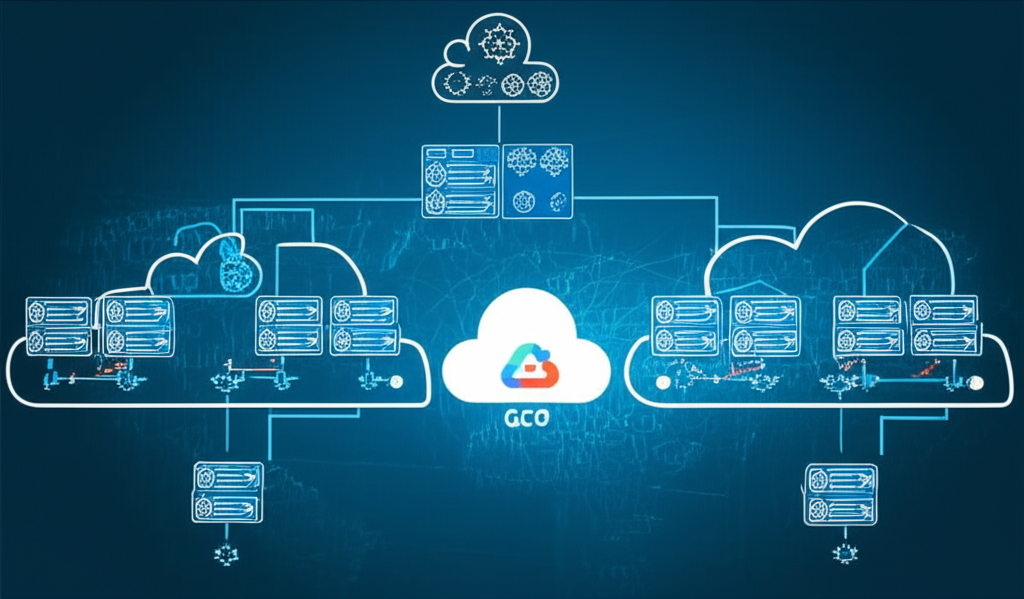
Balancing the Load and Scaling on Demand: Your Guide to Load Balancing and Auto-Scaling in GCP
Welcome to the world of reliable and responsive web applications! If you’re building anything on Google Cloud Platform (GCP) that serves users, understanding load balancing and auto-scaling is crucial. These two technologies work together to ensure your application stays up, running smoothly, and handles unexpected traffic spikes without breaking a sweat.
Think of it this way: Imagine a popular restaurant.
- Load Balancing: It’s like having a maitre d’ (head waiter) who directs incoming customers to different tables. They evenly distribute the customers so no single waiter gets overwhelmed, and everyone gets served efficiently.
- Auto-Scaling: It’s like being able to magically add or remove tables and waiters based on the number of customers arriving. If it’s a quiet evening, you have fewer tables and waiters. If it’s a Saturday night rush, you instantly scale up to accommodate the demand.
Let’s break down how this works in GCP:
1. Load Balancing: Spreading the Workload
In GCP, load balancing distributes incoming network traffic across multiple virtual machines (VMs) or containers. This ensures that no single instance is overwhelmed, leading to better performance and availability.
Why is Load Balancing Important?
- High Availability: If one server fails, the load balancer automatically redirects traffic to healthy servers.
- Scalability: Easily add or remove servers without impacting your users. The load balancer handles the distribution seamlessly.
- Improved Performance: Distributing traffic prevents bottlenecks and ensures faster response times for your users.
Types of Load Balancing in GCP:
GCP offers different types of load balancing, each designed for specific needs:
- HTTP(S) Load Balancing: Best for web applications serving HTTP(S) traffic. It can handle both global and regional traffic. This is likely what you’ll use most often for websites and web APIs.
- Global HTTP(S) Load Balancing: Distributes traffic across multiple regions for even higher availability and lower latency for geographically diverse users.
- Regional HTTP(S) Load Balancing: Distributes traffic within a single region, offering lower latency and greater control for regional deployments.
- TCP Load Balancing: Handles TCP traffic, suitable for applications that use protocols like SSH or databases.
-
SSL Proxy Load Balancing: Handles SSL/TLS decryption for TCP-based services.
-
Internal Load Balancing: Distributes traffic within your internal GCP network. Used to balance the load between services that communicate with each other, without exposing them to the public internet.
Key Concepts in GCP Load Balancing:
- Health Checks: Regularly checks the health of your backend servers. Unhealthy servers are automatically removed from the traffic rotation.
- Backend Services: Define the pool of backend servers (VMs or containers) that will receive traffic.
- Forwarding Rules: Directs incoming traffic to the appropriate backend service based on IP address, port, and protocol.
Example: Setting up a Simple HTTP(S) Load Balancer (High-Level):
- Create your Backend VMs/Instances: Launch several VMs with your application deployed on them.
- Create a Health Check: Configure a health check that verifies your application is running on each VM.
- Create a Backend Service: Define a backend service, linking it to the VMs and the health check. This tells the load balancer which instances to send traffic to and how to check if they’re healthy.
- Create a Forwarding Rule: Create a forwarding rule to direct incoming HTTP(S) traffic (e.g., on port 80 or 443) to the backend service.
- Configure DNS (Optional): Point your domain name to the load balancer’s IP address.
GCP makes this process relatively straightforward through the Cloud Console or gcloud command-line tool.
2. Auto-Scaling: Adapting to Demand
Auto-scaling automatically adjusts the number of VM instances in your application based on demand. This helps you maintain performance and optimize costs by only using the resources you need.
Why is Auto-Scaling Important?
- Cost Optimization: Avoid paying for idle resources during periods of low traffic.
- Performance: Automatically scale up during peak traffic to ensure your application remains responsive.
- Resilience: Even if a server fails, auto-scaling can launch new instances to replace it.
Auto-Scaling in GCP: Managed Instance Groups (MIGs)
The core component for auto-scaling in GCP is Managed Instance Groups (MIGs). A MIG is a group of identical VMs managed as a single entity. They allow you to:
- Automate Instance Creation and Deletion: Based on pre-defined scaling policies.
- Maintain Instance Health: Automatically recreate failed instances.
- Integrate with Load Balancing: Seamlessly work with load balancing to distribute traffic across instances.
Auto-Scaling Policies:
You define how your MIG scales by setting up auto-scaling policies. Common scaling metrics include:
- CPU Utilization: Add or remove instances based on the average CPU utilization of the instances in the MIG. This is a very common metric.
- HTTP Load Balancing Utilization: Scale based on the load being handled by the load balancer.
- Cloud Monitoring Metrics: Scale based on custom metrics you define in Cloud Monitoring, giving you fine-grained control over scaling behavior.
Example: Setting up Auto-Scaling with a MIG (High-Level):
- Create an Instance Template: Define the configuration for your VMs (e.g., OS image, machine type, startup script). This template is used to create new instances.
- Create a Managed Instance Group (MIG): Create a MIG using the instance template. Specify the minimum, maximum, and target number of instances.
- Configure Auto-Scaling Policy: Define an auto-scaling policy based on CPU utilization (or other metrics). Specify the target CPU utilization, and the MIG will automatically adjust the number of instances to maintain that target.
Load Balancing and Auto-Scaling Working Together
The real magic happens when load balancing and auto-scaling work together. The load balancer distributes traffic across healthy instances in the MIG. As demand increases, the auto-scaler adds more instances to the MIG, and the load balancer automatically starts sending traffic to the new instances. When demand decreases, the auto-scaler removes instances, reducing your costs. The load balancer seamlessly handles the transition.
Best Practices:
- Monitor your application: Use Cloud Monitoring to track key metrics and identify potential bottlenecks.
- Start small: Begin with a simple configuration and gradually refine your scaling policies based on your application’s behavior.
- Test your setup: Simulate traffic spikes to ensure your auto-scaling configuration works as expected.
- Choose the right load balancer type: Select the load balancer that best suits your application’s needs.
Conclusion
Load balancing and auto-scaling are powerful tools for building reliable and scalable applications on GCP. By understanding these concepts and implementing them correctly, you can ensure your application can handle any level of traffic while optimizing your costs. Take the time to experiment with the different types of load balancers and auto-scaling policies to find the best configuration for your specific needs. Happy scaling!