Keeping Up with Demand: Autoscaling Your Kubernetes Clusters
Kubernetes is fantastic for orchestrating containers, but what happens when your application suddenly gets a surge in traffic? Or conversely, what if it’s sitting idle, wasting resources? This is where autoscaling comes to the rescue! It allows your Kubernetes cluster to automatically adjust its resources based on demand, ensuring your applications are always performant and cost-effective.
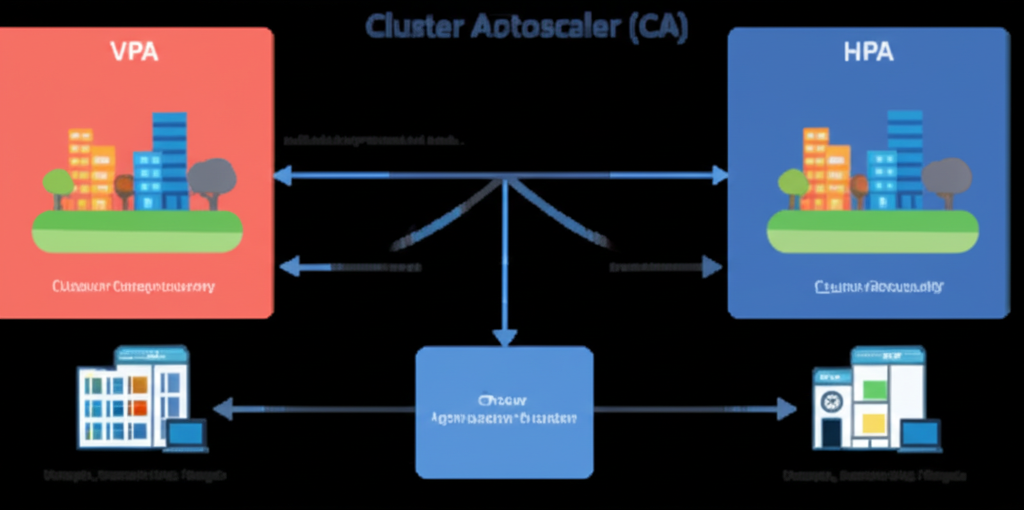
In this post, we’ll explore the three main autoscaling mechanisms in Kubernetes: Horizontal Pod Autoscaler (HPA), Vertical Pod Autoscaler (VPA), and Cluster Autoscaler (CA). We’ll break down what they do and how they work together to keep your applications running smoothly.
1. Horizontal Pod Autoscaler (HPA): Scaling Out and In
Imagine your application is running as a set of identical containers (Pods). When traffic increases, the HPA steps in to create more of these Pods to handle the load. When the traffic subsides, it scales back down, reducing the number of Pods. Think of it as adding or removing lanes on a highway based on the number of cars.
What it does:
- Adjusts the number of Pod replicas in a Deployment, ReplicaSet, or other scalable resource.
- Scales horizontally, meaning it adds or removes instances of your application.
- Makes decisions based on observed metrics like CPU utilization, memory utilization, or custom metrics you define.
How it works (simplified):
- You define an HPA object, specifying the target resource (e.g., a Deployment), the minimum and maximum number of replicas, and the target metric value (e.g., average CPU utilization of 70%).
- The HPA controller periodically queries metrics from your Pods (usually through the Metrics Server or Custom Metrics API).
- If the observed metric exceeds the target, the HPA increases the number of replicas.
- If the observed metric falls below the target, the HPA decreases the number of replicas.
Use Cases:
- Handling fluctuating web traffic.
- Scaling API servers based on request rates.
- Adjusting the number of worker processes in a queue.
Example (Conceptual): If your web application’s average CPU usage goes above 80%, the HPA will automatically spin up more web server Pods. Once the CPU usage drops below 60%, it will start scaling down.
2. Vertical Pod Autoscaler (VPA): Right-Sizing Your Pods
While HPA focuses on the number of Pods, VPA focuses on the resources allocated to each Pod. It analyzes the resource usage of your Pods over time and recommends or automatically adjusts their CPU and memory requests and limits. Think of it as giving each car on the highway the right amount of engine power and cargo space it needs.
What it does:
- Adjusts the CPU and memory requests and limits of individual Pods.
- Scales vertically, meaning it changes the resource allocation of existing Pods.
- Provides recommendations for optimal resource requests and limits, or can automatically update them.
How it works (simplified):
- You deploy a VPA object targeting a specific set of Pods.
- The VPA controller monitors the resource usage of these Pods.
- Based on historical data and current usage, VPA can:
- Provide recommendations on appropriate CPU and memory requests and limits.
- Automatically update the Pod specifications (this might require restarting the Pods).
Use Cases:
- Optimizing resource utilization and reducing costs by avoiding over-provisioning.
- Ensuring Pods have enough resources to avoid performance issues and out-of-memory errors.
- Automatically adapting to changing resource needs of stateful applications.
Example (Conceptual): Your application might initially request 1 CPU core and 2GB of RAM. The VPA observes that it consistently uses only 0.5 CPU cores and 1GB of RAM. It can then recommend or automatically adjust the request to these lower values, freeing up resources for other workloads.
3. Cluster Autoscaler (CA): Growing and Shrinking Your Cluster
The HPA and VPA work within the existing capacity of your Kubernetes cluster. But what happens when you need more underlying machines to run your scaled-out Pods? That’s where the Cluster Autoscaler comes in. It automatically adjusts the size of your Kubernetes cluster (the number of worker nodes) based on the resource needs of your Pods. Think of it as adding or removing entire lanes (and the road they are on) to the highway.
What it does:
- Adjusts the number of nodes in your Kubernetes cluster.
- Scales the cluster horizontally at the node level.
- Detects when Pods are pending due to insufficient resources and adds new nodes.
- Removes underutilized nodes to save costs.
How it works (simplified):
- You configure the Cluster Autoscaler for your specific cloud provider or infrastructure.
- The CA periodically checks for:
- Pending Pods: If there are Pods that cannot be scheduled due to insufficient resources, the CA will provision new nodes to accommodate them.
- Underutilized Nodes: If nodes have been underutilized for a certain period, the CA will attempt to safely evict the Pods running on them and then terminate the node.
Use Cases:
- Automatically scaling the underlying infrastructure to match application demand.
- Cost optimization by removing unnecessary nodes during low-traffic periods.
- Ensuring your cluster has enough capacity to handle peak loads.
Example (Conceptual): If your HPA scales out your application significantly, and there aren’t enough available resources on your existing nodes, the Cluster Autoscaler will automatically provision new virtual machines (nodes) in your cloud provider and join them to your Kubernetes cluster. Conversely, if several nodes are mostly idle, the CA can remove them, reducing your cloud costs.
Working Together: The Autoscaling Dream Team
These three autoscaling mechanisms are most powerful when used in conjunction:
- VPA ensures your individual Pods are efficiently using their allocated resources.
- HPA scales the number of Pods up or down based on application load within the available cluster capacity.
- CA adjusts the overall capacity of your cluster by adding or removing nodes to accommodate the changes in Pod count driven by the HPA.
Key Considerations:
- Metrics Server: HPA relies on metrics to make scaling decisions. Ensure the Metrics Server is correctly deployed and configured in your cluster.
- Resource Requests and Limits: Accurate resource requests and limits are crucial for both VPA recommendations and HPA scaling decisions.
- Cooldown Periods: HPA often has cooldown periods to prevent rapid scaling up and down.
- Disruption Budgets: When VPA or CA need to restart or remove Pods/nodes, consider using Pod Disruption Budgets (PDBs) to ensure the availability of your application.
- Cloud Provider Integration: Cluster Autoscaler is specific to your cloud provider or infrastructure. Make sure to configure it correctly for your environment.
Conclusion
Autoscaling is a fundamental aspect of running resilient and cost-effective applications on Kubernetes. By understanding and implementing HPA, VPA, and Cluster Autoscaler, you can ensure your cluster dynamically adapts to changing demands, providing a better experience for your users and optimizing your resource utilization. While each component serves a distinct purpose, their combined power creates a truly elastic and responsive Kubernetes environment.