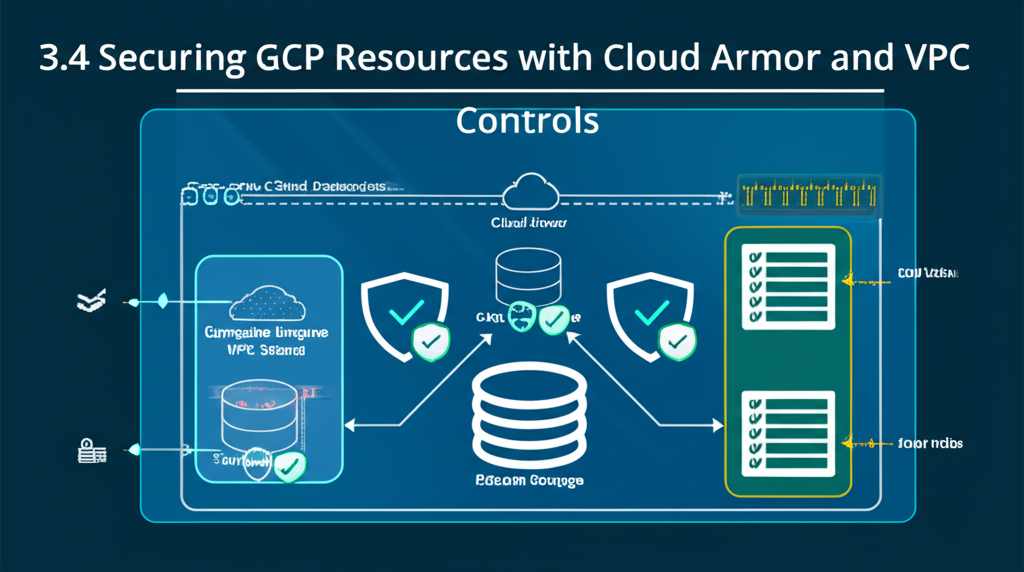
Fortifying Your GCP Fortress: Cloud Armor and VPC Service Controls
Google Cloud Platform (GCP) offers a powerful and versatile environment for building and deploying applications. But like any fortress, it needs proper security measures to protect your valuable resources. Two key players in GCP’s security arsenal are Cloud Armor and VPC Service Controls. Think of them as the gatekeepers and interior walls of your GCP fortress, respectively.
This blog post will break down these services into simple, understandable terms, showing you how they work and how you can use them to secure your GCP resources.
Let’s start with Cloud Armor: The Gatekeeper at Your Web’s Doorstep
Imagine your application is a popular restaurant. Cloud Armor acts as the bouncer at the front door, examining everyone who tries to enter and denying access to unwanted guests (e.g., malicious bots, attackers).
What does Cloud Armor do?
- Protects against DDoS attacks: Distributed Denial-of-Service (DDoS) attacks flood your application with traffic, overwhelming it and making it unavailable to legitimate users. Cloud Armor uses global infrastructure and intelligent traffic analysis to identify and mitigate these attacks.
- Filters malicious traffic: Cloud Armor uses pre-configured and custom rules to identify and block traffic that matches specific patterns, such as SQL injection attempts or cross-site scripting (XSS) attacks. These rules are based on the Web Application Firewall (WAF) principles.
- Blocks specific IP addresses or regions: Need to block traffic from a specific country due to suspicious activity? Cloud Armor lets you easily create rules to deny access based on IP address ranges or geographic location.
- Provides visibility into attacks: Cloud Armor offers detailed logging and reporting, allowing you to understand the types of attacks you’re facing and fine-tune your security policies.
How does it work in practice?
Cloud Armor integrates seamlessly with GCP’s load balancers. When a user sends a request to your application, the request first passes through the load balancer. The load balancer then forwards the request to Cloud Armor for inspection. Cloud Armor applies your configured rules and either allows the request to proceed to your application or blocks it.
Think of it this way:
User –> Load Balancer –> Cloud Armor (Security Checkpoint) –> Your Application
Simple Example: Blocking a specific IP address
Let’s say you notice suspicious activity originating from the IP address 192.168.1.100. You can create a Cloud Armor rule to block all traffic from that IP:
- Create a security policy: Define a policy that will hold your rules.
- Create a rule: Specify the condition (e.g.,
request.path == '/' && request.headers['user-agent'] == 'BadBot') and the action (e.g., deny) - Associate the security policy with your backend service or load balancer: This ensures that all traffic to your application is filtered by the policy.
Cloud Armor provides a user-friendly interface within the Google Cloud Console to manage these policies and rules. You can also manage Cloud Armor programmatically using the gcloud command-line tool or the Cloud Armor API.
Moving Inside: VPC Service Controls – The Internal Walls
While Cloud Armor protects the perimeter, VPC Service Controls (VPC SC) provides security boundaries within your GCP environment. Think of them as internal walls that restrict access to your GCP resources based on context, regardless of the user’s identity.
What does VPC Service Controls do?
- Limits data exfiltration: The primary goal of VPC SC is to prevent sensitive data from leaving your defined perimeter. It does this by controlling access to GCP services based on the origin of the request.
- Defines a security perimeter: You create a service perimeter, which is a logical boundary around a collection of GCP projects and services. Only requests originating from within the perimeter (or explicitly allowed from outside) can access resources within the perimeter.
- Restricts access to APIs: VPC SC controls access to Google Cloud APIs, such as the Storage API or the Compute Engine API.
- Enforces access policies: You can define fine-grained access policies that specify which identities (users, service accounts) can access specific resources within the perimeter.
How does it work in practice?
Imagine you have a development project and a production project in GCP. You want to ensure that developers working in the development project cannot accidentally (or maliciously) access data in the production project.
With VPC SC, you can create a service perimeter that includes your production project. Any attempts to access resources in the production project from outside the perimeter (e.g., from the development project) will be blocked.
Think of it this way:
Developer in Dev Project –> Tries to access Production Project –> VPC Service Controls (Perimeter Check) –> Access Denied (unless explicitly allowed).
Simple Example: Preventing access from outside a trusted network
Let’s say you only want your data in Cloud Storage to be accessed from within your corporate network or from specific VPN connections. VPC SC allows you to define a service perimeter that only allows requests originating from those trusted network origins. Any request originating from a non-approved source will be denied.
Key Considerations for VPC Service Controls:
- Planning is crucial: Implementing VPC SC requires careful planning to ensure that your applications and services can still function correctly within the defined perimeter.
- Testing is essential: Before enforcing a VPC SC policy in production, thoroughly test it in a non-production environment to avoid disrupting critical services.
- Compatibility: Not all GCP services are supported by VPC SC. Check the documentation for the latest list of supported services.
Cloud Armor vs. VPC Service Controls: What’s the Difference?
While both enhance security, they address different aspects:
| Feature | Cloud Armor | VPC Service Controls |
|---|---|---|
| Focus | Web application security and DDoS protection | Data exfiltration prevention and perimeter security |
| Scope | Protects against attacks from the internet | Controls access to resources within your GCP environment |
| Layer | Application layer (Layer 7) | Network and API layer |
| Analogy | Bouncer at the front door | Internal walls within the building |
In Conclusion: Layered Security for a Stronger Defense
Cloud Armor and VPC Service Controls are powerful tools for securing your GCP resources. By implementing a layered security approach that combines these services with other GCP security features, you can create a robust defense against a wide range of threats. Remember to understand your specific security needs and carefully plan your implementation to maximize the effectiveness of these security measures. Happy securing!