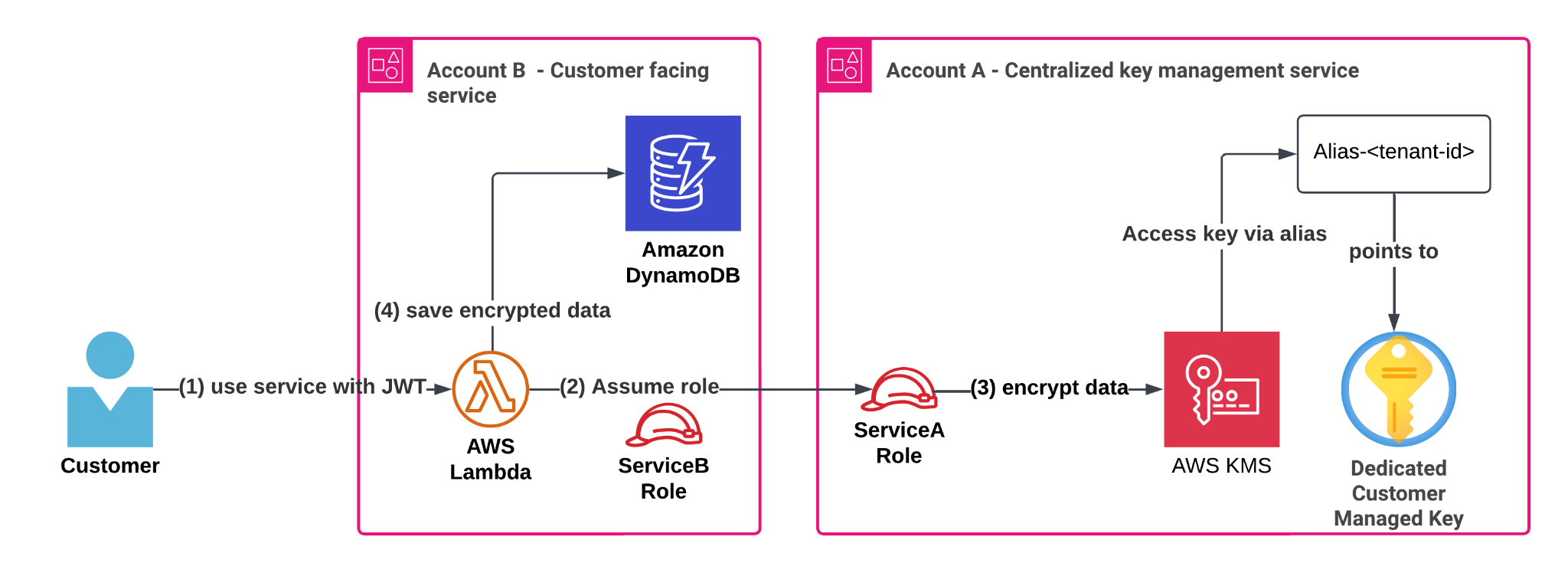
3.4 Advanced Key Management with AWS KMS: Patterns & Practices
AWS Key Management Service (KMS) is a robust service for creating and managing cryptographic keys. While basic KMS usage is straightforward, advanced scenarios require a deeper understanding of its features and best practices. This post dives into patterns and practices for advanced key management with AWS KMS, aiming to provide clear insights and practical guidance for experienced users.
1. Custom Key Stores: Taking Control
Concept: By default, KMS uses its own key material. However, for organizations with strict compliance or regulatory requirements, AWS Custom Key Stores offer a way to use hardware security modules (HSMs) that you control to generate and store KMS keys.
Analogy: Think of it like having your own high-security vault within the bank’s premises. The bank (AWS) manages the operational aspects, but you own and control the physical vault and the keys inside.
Use Case: A financial institution needs to ensure that its encryption keys never leave its dedicated HSM cluster for compliance with specific regulations.
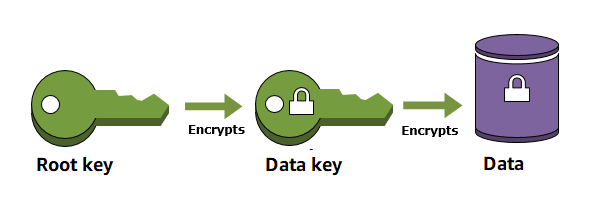
Key Practice: Carefully plan the capacity and availability of your CloudHSM cluster, as the performance and availability of your custom key store are tied to it.
2. Importing Key Material: Bring Your Own Keys (BYOK)
Concept: Instead of KMS generating the key material, you can generate it on-premises and import it into KMS. This gives you full control over the key generation process.
Analogy: It’s like bringing your own unique lock and key to use in a secure mailbox provided by the postal service (AWS KMS).
Use Case: An organization has existing key management infrastructure and wants to migrate workloads to AWS while retaining control over the root key material.
Step-by-Step:
1. Generate a wrapping key and import token: Use the AWS CLI or KMS console to request a wrapping key and an import token for your KMS key.
2. Generate your key material: Create the symmetric key material you want to import using your organization’s key generation processes.
3. Encrypt your key material: Use the downloaded wrapping key and the import token to encrypt your key material.
4. Import the encrypted key material: Use the AWS CLI or KMS console to import the encrypted key material into your KMS key.

3. Key Policies and IAM: Fine-Grained Access Control
Concept: KMS leverages both Key Policies (resource-based policies attached directly to KMS keys) and IAM policies to control who can perform what actions on which keys.
Analogy: Think of Key Policies as the specific rules for accessing a particular safe deposit box, while IAM policies are like the general security clearance badge a person holds for the bank. Both need to align for access to be granted.
Best Practice: Employ the principle of least privilege. Grant only the necessary permissions to users and services for specific KMS keys. Favor Key Policies for resource-specific permissions and IAM policies for broader, user/role-based permissions.
Example: Grant an EC2 instance role the permission to encrypt and decrypt data using a specific KMS key used for EBS volume encryption, using the Key Policy of that KMS key. Simultaneously, use an IAM policy to allow a security administrator to manage (but not use for cryptographic operations) all KMS keys within a specific AWS account.
4. Multi-Region Keys: Global Data Protection
Concept: KMS allows you to create multi-Region symmetric keys. These are intended for encrypting data that needs to be decrypted in multiple AWS Regions. They are comprised of one primary key in the creating Region and multiple replica keys in other Regions.
Analogy: Imagine having master keys to the same set of high-security doors located in different cities. Each master key works independently but controls access to the same underlying asset.
Use Case: A globally distributed application stores encrypted data in multiple AWS Regions and needs a consistent key to decrypt it in any of those Regions without cross-region KMS calls or managing multiple independent keys.

Considerations: Understand the replication latency and failover behavior of multi-Region keys. Permissions are managed independently for the primary and replica keys.
5. Key Rotation: Enhancing Security Posture
Concept: Regularly rotating your cryptographic keys limits the amount of data protected by a single key version, reducing the potential impact if a key is compromised. KMS offers automatic key rotation for KMS-managed keys.
Analogy: It’s like changing the locks on your house periodically. Even if an old key is compromised, it won’t grant access after the locks have been changed.
Best Practice: Enable automatic key rotation for your KMS keys whenever possible. For imported key material, you are responsible for manually rotating the key by importing new key material.
Key Takeaways:
- Custom Key Stores and BYOK provide enhanced control over key generation and storage for strict compliance needs.
- Fine-grained access control using Key Policies and IAM policies is crucial for security. Apply the principle of least privilege.
- Multi-Region Keys simplify data protection across multiple AWS Regions for globally distributed applications.
- Regular Key Rotation is a fundamental security practice to limit the blast radius of potential key compromise.
By understanding and implementing these advanced patterns and practices, you can leverage the full potential of AWS KMS to secure your sensitive data effectively in complex environments.