How Kubernetes Runs Containers: Container Runtime and Kubelet Explained
Welcome back to our Kubernetes journey! In previous posts, we’ve touched upon the fundamental concepts of Kubernetes. Now, let’s dive deeper into a crucial aspect: how Kubernetes actually runs your containers. It’s all about the dynamic duo: the Container Runtime and the Kubelet.
Think of Kubernetes as a master conductor of an orchestra. Your application containers are the musicians, each playing their specific part. But how does the conductor ensure each musician starts, stops, and plays correctly? That’s where the Container Runtime and Kubelet come in.
The Stage Manager: Container Runtime
Imagine a stage manager preparing the stage for each musician. The Container Runtime is exactly that for your containers. It’s the underlying software that is responsible for:
- Pulling container images: When Kubernetes decides to run a container, the Container Runtime fetches the necessary image from a container registry (like Docker Hub).
- Creating and starting containers: It takes the image and spins up a running instance – your container.
- Managing container lifecycle: This includes starting, stopping, restarting, and removing containers.
- Resource isolation: The runtime ensures that each container has its allocated resources (CPU, memory, etc.) and doesn’t interfere with others.
Think of it this way: You have a Docker image. The Container Runtime (like Docker itself, or containerd, or CRI-O) is the engine that takes that blueprint and brings it to life as a running container.
Popular Container Runtimes:
Kubernetes is designed to be flexible and supports various container runtimes. Some of the most common ones include:
- Docker Engine: The most widely known containerization technology.
- containerd: A core container runtime that is also used by Docker. It’s lightweight and focused.
- CRI-O: A lightweight container runtime specifically designed for Kubernetes.
Kubernetes doesn’t directly manage the container runtime. Instead, it communicates with it through a standard interface called the Container Runtime Interface (CRI). This allows Kubernetes to work with different container runtimes without needing to know their specific implementation details.
The On-Site Crew Chief: Kubelet
Now, let’s introduce the Kubelet. Think of the Kubelet as the on-site crew chief for each individual worker node in your Kubernetes cluster. A worker node is a machine where your actual containers run.
What does the Kubelet do?
- Listens to the Control Plane: The Kubelet constantly communicates with the Kubernetes control plane (specifically the API server). It receives instructions on what containers should be running on its node.
- Manages Pods: In Kubernetes, containers are grouped into logical units called Pods. The Kubelet is responsible for ensuring that the containers defined in a Pod are running and healthy on its node.
- Interacts with the Container Runtime: When the Kubelet receives an instruction to run a Pod, it tells the configured Container Runtime on that node to pull the necessary image(s) and start the container(s).
- Reports Node Status: The Kubelet regularly reports the status of the node and the containers running on it back to the control plane. This includes information about resource usage, health checks, and any events.
Think of it this way: The Kubernetes control plane decides what needs to run and where. The Kubelet on each worker node is the agent that makes sure those instructions are carried out by interacting with the Container Runtime.
Putting It All Together
Here’s how the process generally flows when Kubernetes wants to run a container:
- You (or a Kubernetes controller) define a Pod with one or more containers in a YAML file and submit it to the Kubernetes API server.
- The Kubernetes scheduler determines which worker node is the best place to run this Pod.
- The API server informs the Kubelet on the chosen worker node about the new Pod assignment.
- The Kubelet on that node receives the Pod specification.
- For each container in the Pod, the Kubelet instructs the configured Container Runtime (via the CRI) to:
- Pull the container image if it’s not already present.
- Create and start the container.
- The Container Runtime manages the lifecycle of the container.
- The Kubelet continuously monitors the health and status of the containers in the Pod and reports back to the control plane.
Key Takeaways
- The Container Runtime is the underlying engine that runs and manages containers on a node.
- The Kubelet is the agent that runs on each worker node and acts as the intermediary between the Kubernetes control plane and the Container Runtime.
- The CRI (Container Runtime Interface) allows Kubernetes to work with different container runtimes in a standardized way.
- The Kubelet receives instructions from the control plane and tells the Container Runtime what to do with the containers in a Pod.
Understanding the roles of the Container Runtime and the Kubelet is fundamental to grasping how Kubernetes orchestrates your containerized applications. They work hand-in-hand to ensure your containers are running smoothly and reliably within your cluster.
In our next post, we’ll explore another key Kubernetes component. Stay tuned!
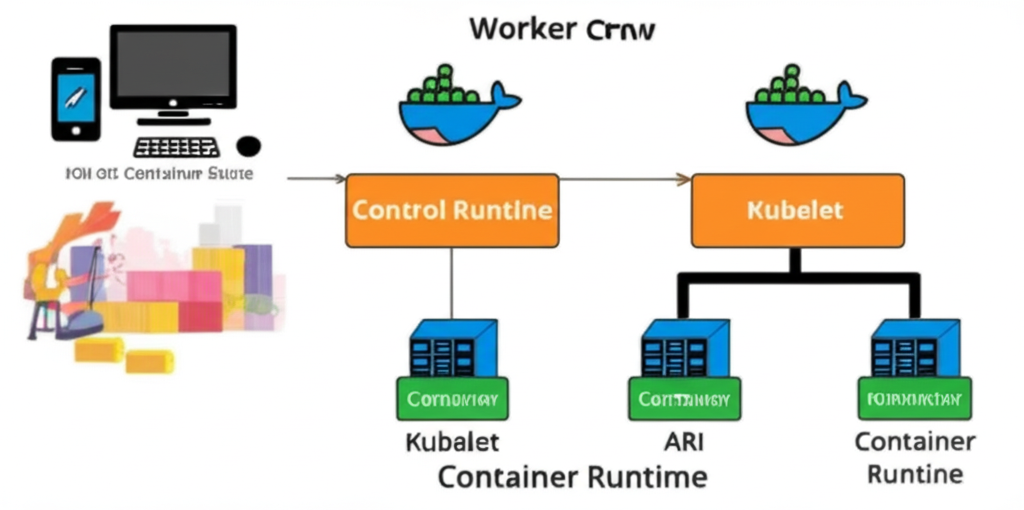
This image depicts the relationship between the Kubernetes Control Plane, Kubelet, and Container Runtime. On the left, a user interacts with the Kubernetes control plane via a computer and phone. An arrow points to a central “Control Plane” box. From the Control Plane, instructions are sent to “Worker Nodes,” represented by two sections. In each “Worker Node” section, there is a “Kubelet” box which then communicates with one or more “Container Runtime” boxes, each managing several container icons depicted as blue boxes with green tops. This visually explains how the control plane directs the Kubelets on worker nodes to manage containers through the underlying container runtime.