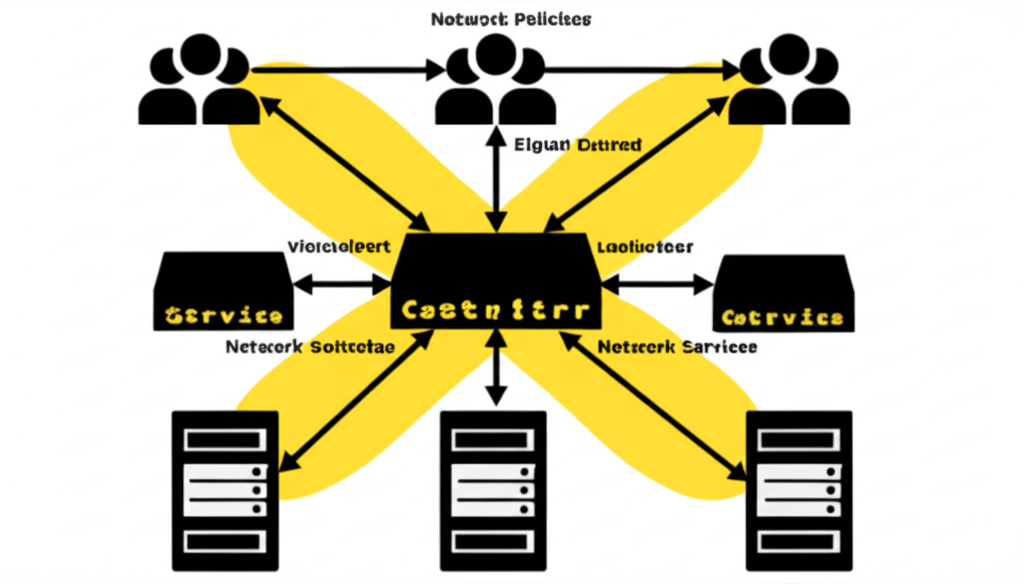
Navigating the Kubernetes Network: Services, Ingress, and Network Policies Explained
Kubernetes is a powerful platform for orchestrating containerized applications, but understanding its networking concepts is crucial for deploying and managing your applications effectively. For those new to Kubernetes or looking to solidify their understanding, this post will break down three essential networking components: Services, Ingress, and Network Policies. We’ll use simple language and practical examples to make these concepts clear.
1. Kubernetes Services: Exposing Your Applications
Imagine you have multiple instances (Pods) of your application running in your Kubernetes cluster. These Pods are ephemeral; they can be created, destroyed, and their IP addresses can change. How do you ensure reliable access to your application without constantly tracking individual Pod IPs? This is where Services come in.
What is a Service?
A Kubernetes Service is an abstraction that defines a logical set of Pods and a policy by which to access them. It provides a stable IP address and DNS name that clients can use to connect to your application, regardless of which specific Pods are currently running. Think of it as a load balancer and service discovery mechanism rolled into one.
Key Benefits of Services:
- Stable Endpoint: Provides a consistent IP address and DNS name for your application.
- Load Balancing: Distributes traffic across the healthy Pods in the Service.
- Service Discovery: Enables other applications within the cluster to easily discover and communicate with your service.
Types of Services (for basic understanding):
- ClusterIP: Exposes the Service on a cluster-internal IP. This makes the Service only reachable from within the cluster. This is the default Service type.
- NodePort: Exposes the Service on each Node’s IP at a static port (the NodePort). You can then access the Service from outside the cluster using
<NodeIP>:<NodePort>. - LoadBalancer: Exposes the Service externally using a cloud provider’s load balancer. The cloud provider will create a load balancer that routes traffic to your NodePort and ClusterIP Service.
Example:
Let’s say you have a web application with multiple Pods. You can define a Service of type ClusterIP named my-web-app-service that targets these Pods. Other applications within your cluster can then access your web application using the stable IP and DNS name provided by my-web-app-service.
2. Kubernetes Ingress: Managing External Access
While Services allow communication within the cluster and can be exposed externally using NodePort or LoadBalancer, Ingress provides a more flexible and powerful way to manage external access to your services, especially for HTTP and HTTPS traffic.
What is Ingress?
Ingress acts as a single entry point for all external traffic to your cluster. It uses routing rules defined in an Ingress resource to determine which Service should handle incoming requests based on the request’s host and path.
Key Benefits of Ingress:
- Centralized Access Control: Manages external access to multiple services through a single point.
- Name-Based Virtual Hosting: Allows you to host multiple domains on the same IP address.
- Path-Based Routing: Routes traffic to different services based on the URL path.
- TLS/SSL Termination: Can handle SSL certificate management and decryption.
Ingress Controller:
To make Ingress work, you need an Ingress Controller running in your cluster. The Ingress Controller is responsible for implementing the Ingress rules. Popular Ingress Controllers include Nginx Ingress Controller, Traefik, and HAProxy Ingress Controller.
Example:
You might have two web applications: webapp1 and webapp2. Using Ingress, you can define rules like:
- Requests to
mywebsite.com/app1are routed to thewebapp1Service. - Requests to
mywebsite.com/app2are routed to thewebapp2Service.
All external traffic would first hit the Ingress Controller, which would then forward the traffic to the appropriate Service based on these rules.
3. Kubernetes Network Policies: Securing Your Network
By default, Pods in a Kubernetes cluster can freely communicate with each other. While this can be convenient, it might not be desirable for security reasons. Network Policies allow you to define rules that control the network traffic between Pods and between Pods and other network endpoints.
What are Network Policies?
Network Policies are Kubernetes resources that specify how groups of Pods are allowed to communicate with each other and with other network entities. They operate at Layer 3 (IP addresses) and Layer 4 (TCP/UDP ports) of the OSI model.
Key Benefits of Network Policies:
- Enhanced Security: Implement fine-grained control over network traffic within your cluster.
- Isolation: Isolate sensitive applications or environments by restricting network access.
- Compliance: Meet security and compliance requirements by defining explicit network rules.
How Network Policies Work:
Network Policies use selectors to target specific groups of Pods (e.g., based on labels). You can then define ingress rules (incoming traffic to the selected Pods) and egress rules (outgoing traffic from the selected Pods). These rules specify the allowed source/destination IP ranges, ports, and protocols.
Example:
You can create a Network Policy that:
- Allows Pods with the label
app=frontendto only receive TCP traffic on port 80 from Pods with the labelapp=backend. - Denies all outgoing traffic from Pods with the label
environment=devto any external IP address.
Conclusion:
Understanding Services, Ingress, and Network Policies is fundamental to effectively deploying and managing applications in Kubernetes. Services provide stable internal endpoints, Ingress manages external access in a flexible way, and Network Policies allow you to secure your cluster’s network traffic. By mastering these concepts, you’ll be well-equipped to build and operate robust and secure Kubernetes applications.