GitOps on AWS: Deploying to EKS with CodePipeline and ArgoCD
So, you’ve heard the buzz about GitOps and want to bring its magic to your AWS EKS (Elastic Kubernetes Service) cluster? You’re in the right place! In this post, we’ll break down how to implement GitOps using AWS CodePipeline and ArgoCD, making deployments to your EKS cluster smoother, more reliable, and easier to manage.
What is GitOps Anyway? (And Why Should I Care?)
Think of GitOps as “Infrastructure as Code” on steroids. Instead of manually clicking buttons in a console or running scripts, you define your desired cluster state (applications, configurations, everything!) in a Git repository. Your Git repository becomes the single source of truth. A GitOps operator (like ArgoCD) then monitors this repository and automatically reconciles your cluster to match the desired state defined in Git.
Why GitOps? Here’s the short list:
- Increased Velocity: Faster deployments and rollbacks because changes are automated.
- Improved Reliability: Version control in Git provides auditability and easier rollbacks to previous states.
- Enhanced Security: Centralized access control through Git.
- Simplified Collaboration: Easier for teams to collaborate on infrastructure changes.
Our Tooling: A Winning Combination
We’ll leverage three key players for our GitOps setup:
- AWS EKS: Our managed Kubernetes service, where our applications will live.
- AWS CodePipeline: Our CI/CD pipeline, responsible for building and pushing our application images and triggering the GitOps process.
- ArgoCD: Our GitOps operator, responsible for monitoring our Git repository and deploying changes to EKS.
Let’s Get Practical: A Step-by-Step Guide
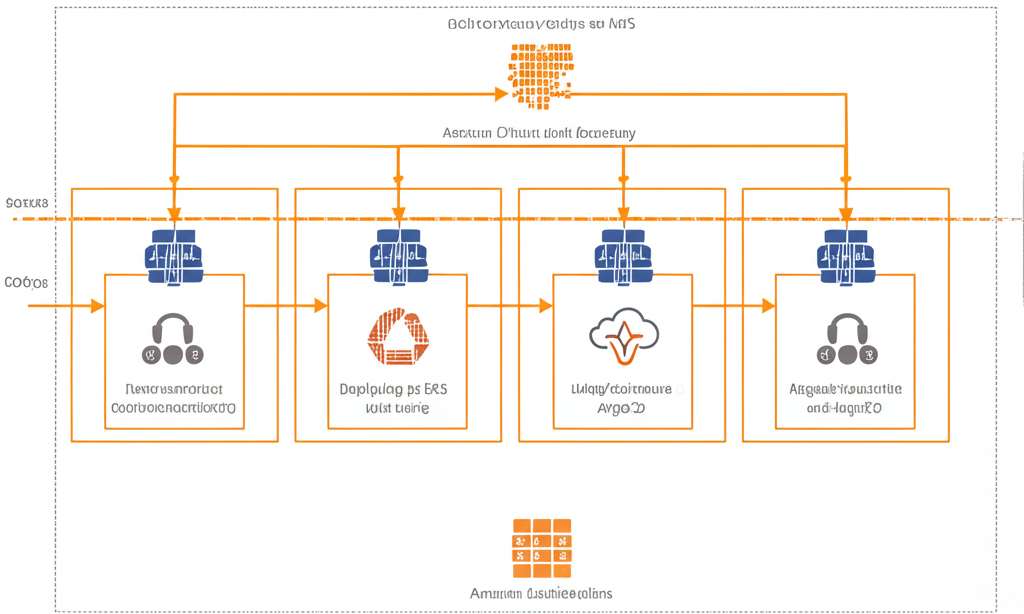
Here’s a simplified overview of the workflow, followed by more detailed steps:
- Code Change: Developers commit changes to the application code in the source repository.
- Build and Push: AWS CodePipeline detects the changes, builds the application image, and pushes it to a container registry (like AWS ECR).
- Update Manifests: CodePipeline updates the Kubernetes manifest files (YAML) in our GitOps repository with the new image tag. This could involve using
sedor a templating engine within the pipeline. - ArgoCD Syncs: ArgoCD detects the changes in the GitOps repository and automatically deploys the updated application to our EKS cluster.
Step-by-Step Details:
1. Setting up the Foundation (EKS & ArgoCD)
- Create an EKS Cluster: If you don’t already have one, create an EKS cluster using the AWS Management Console,
eksctl, or Terraform. Make sure you havekubectlconfigured to interact with your cluster. - Install ArgoCD: The easiest way to install ArgoCD is using
kubectl:kubectl create namespace argocd kubectl apply -n argocd -f https://raw.githubusercontent.com/argoproj/argo-cd/stable/manifests/install.yamlAccessing the ArgoCD UI: After installation, you can access the ArgoCD UI. You’ll need to expose it. The simplest way (for testing purposes only!) is port-forwarding:
kubectl port-forward svc/argo-cd-server -n argocd 8080:443Then access it at
https://localhost:8080`. The default username isadmin`. The password is the name of the Argo CD server pod. You can retrieve it with:kubectl -n argocd get secret argocd-initial-admin-secret -o jsonpath="{.data.password}" | base64 --decode && echo
2. The GitOps Repository (The Source of Truth)
- Create a Git Repository: This repository will hold your Kubernetes manifests (YAML files). Structure it logically, for example:
gitops-repo/ ├── applications/ │ ├── my-app/ │ │ ├── deployment.yaml │ │ ├── service.yaml │ │ └── ... other Kubernetes resources ├── infrastructure/ │ └── ... (Optional: manifests for infrastructure components) - Define Your Application: Create Kubernetes manifests (Deployment, Service, etc.) defining your application in the
applications/my-app/directory. Important: Use placeholders for the image tag, so CodePipeline can update it later. For example, indeployment.yaml:apiVersion: apps/v1 kind: Deployment metadata: name: my-app spec: replicas: 3 selector: matchLabels: app: my-app template: metadata: labels: app: my-app spec: containers: - name: my-app image: <YOUR_ECR_REPO>/my-app:__IMAGE_TAG__ # Placeholder for image tag ports: - containerPort: 8080
3. Building the Pipeline with AWS CodePipeline
- Create a CodePipeline: Use the AWS Management Console or AWS CLI to create a new CodePipeline.
- Source Stage: Configure the source stage to connect to your application’s code repository (e.g., GitHub, CodeCommit).
- Build Stage: Configure the build stage to:
- Build the application image (using Docker, for example).
- Push the image to a container registry like AWS ECR.
- Crucially, update the Kubernetes manifest in your GitOps repository with the new image tag. This can be done using:
sedcommand: A simple but effective way to replace the__IMAGE_TAG__placeholder. Example:sed -i "s|__IMAGE_TAG__|${CODEBUILD_RESOLVED_SOURCE_VERSION}|g" applications/my-app/deployment.yamlWhere
CODEBUILD_RESOLVED_SOURCE_VERSIONis an environment variable provided by CodeBuild that contains the commit ID (which we’ll use as our image tag).yqcommand: A more robust YAML processor if your manifests are more complex. You’ll need to install it in your CodeBuild environment.- Templating Engine (like Helm): If you’re using Helm, you’d update the
values.yamlfile with the new image tag.
- Commit the changes to your GitOps repository. You’ll need to configure CodeBuild with credentials to access your GitOps repository.
Example CodeBuild buildspec.yml (Partial):
version: 0.2

phases:
  install:
    commands:
      - apt-get update -y
      - apt-get install -y jq # Install jq if needed
  build:
    commands:
      - docker build -t $IMAGE_REPO_NAME:$CODEBUILD_RESOLVED_SOURCE_VERSION .
      - docker tag $IMAGE_REPO_NAME:$CODEBUILD_RESOLVED_SOURCE_VERSION $IMAGE_REPO_NAME:$CODEBUILD_BUILD_ID
      - docker push $IMAGE_REPO_NAME:$CODEBUILD_RESOLVED_SOURCE_VERSION
      - docker push $IMAGE_REPO_NAME:$CODEBUILD_BUILD_ID

  post_build:
    commands:
      - echo "Updating Kubernetes manifest..."
      - sed -i "s|__IMAGE_TAG__|${CODEBUILD_RESOLVED_SOURCE_VERSION}|g" gitops-repo/applications/my-app/deployment.yaml  # Update image tag using sed
      # Alternative using yq (if jq is installed in the install phase)
      # - yq e ".spec.template.spec.containers[0].image = \"$IMAGE_REPO_NAME:$CODEBUILD_RESOLVED_SOURCE_VERSION\"" gitops-repo/applications/my-app/deployment.yaml -i

      - git config --global user.email "codebuild@example.com"
      - git config --global user.name "AWS CodeBuild"
      - cd gitops-repo
      - git add .
      - git commit -m "Update image tag to $CODEBUILD_RESOLVED_SOURCE_VERSION"
      - git push origin main # Or your branch name
4. Connecting ArgoCD to Your GitOps Repository
- Add a new Application in ArgoCD: In the ArgoCD UI, click “+ NEW APP”.
- Configure the Application:
- Application Name: Choose a name for your application in ArgoCD.
- Project: Use the default “default” project.
- Source Repository: Enter the URL of your GitOps repository.
- Path: Specify the path within the repository where your Kubernetes manifests reside (e.g.,
applications/my-app). - Destination Cluster: Select your EKS cluster. ArgoCD should automatically detect it.
- Namespace: Specify the Kubernetes namespace where your application should be deployed.
- Create the Application: ArgoCD will now start syncing the application, deploying the resources defined in your GitOps repository to your EKS cluster.
5. Watch the Magic Happen!
Now, whenever you commit changes to your application code, CodePipeline will:
- Build a new image.
- Update the image tag in your GitOps repository.
- ArgoCD will detect the change and automatically deploy the updated application to your EKS cluster!
Important Considerations and Next Steps:
- Security: Securely manage access to your GitOps repository and EKS cluster. Use IAM roles for CodePipeline and ArgoCD. Consider using Sealed Secrets for storing sensitive information in Git.
- Authentication: Properly configure ArgoCD to authenticate with your EKS cluster. IAM roles for service accounts are a good approach.
- Health Checks and Rollbacks: Implement Kubernetes health checks (liveness and readiness probes) to ensure deployments are healthy. ArgoCD provides rollback capabilities to revert to previous states if issues arise.
- Branching Strategy: Define a clear branching strategy for your GitOps repository (e.g., using Gitflow).
- Helm Integration: If you use Helm to manage your Kubernetes applications, ArgoCD integrates seamlessly with Helm charts.
- Customization: ArgoCD offers extensive customization options for deployment strategies, sync policies, and more. Explore its features to tailor it to your specific needs.
Conclusion
Implementing GitOps with AWS CodePipeline and ArgoCD might seem a bit daunting at first, but by breaking it down into manageable steps, you can automate your deployments, improve reliability, and simplify management of your EKS clusters. This setup empowers your development teams to focus on writing code, while GitOps takes care of the deployment process. Happy deploying!