Architecting Enterprise Networks with AWS Transit Gateway
For organizations with a significant presence on AWS, managing connectivity between numerous Virtual Private Clouds (VPCs) and on-premises environments can quickly become complex. Traditional approaches, often involving peering connections, can lead to a tangled web of routes that are difficult to manage and scale. This is where AWS Transit Gateway steps in as a powerful solution.
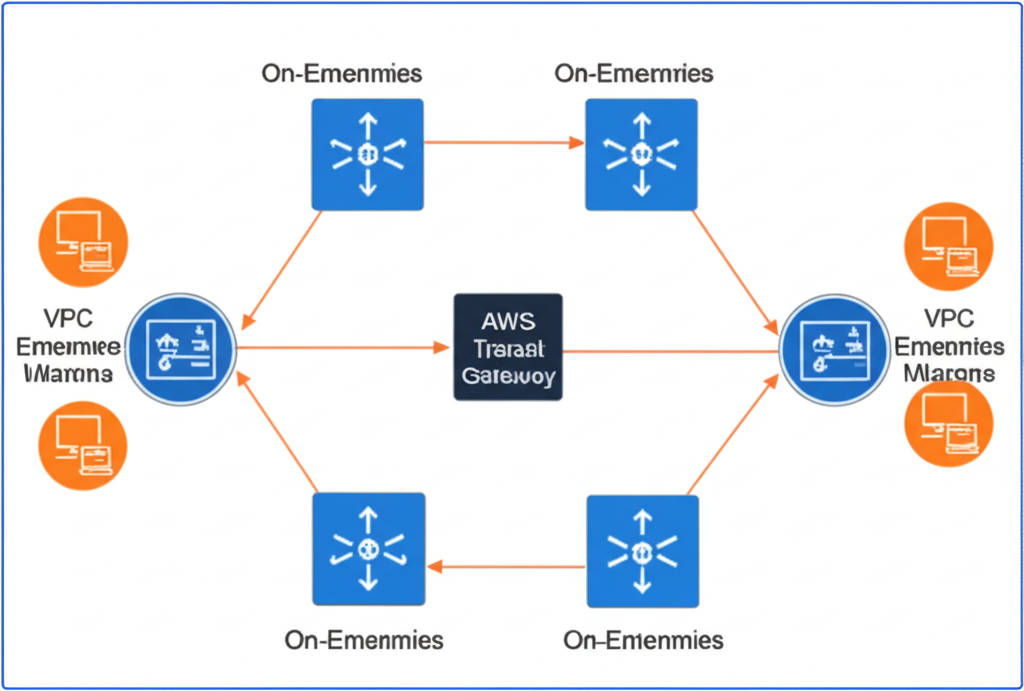
Think of AWS Transit Gateway as a centralized router in the cloud. Instead of establishing direct peering connections between every VPC and your on-premises networks, you connect them all to this single Transit Gateway. This drastically simplifies your network architecture and provides a scalable way to manage connectivity.
Why Transit Gateway? The Challenges of Traditional Architectures
Before diving deeper, let’s understand the problems Transit Gateway solves:
- Scalability Limits of Peering: As the number of VPCs grows, managing individual peering connections becomes operationally burdensome. The number of peering connections increases quadratically, creating a complex mesh.
- Complex Routing Management: Each peering connection requires manual route updates across all involved VPCs. This can become error-prone and time-consuming.
- Lack of Centralized Control: Security and monitoring become challenging to implement consistently across a decentralized peering architecture.
- Limited Transitive Routing: Peering connections are not transitive. If VPC A is peered with VPC B, and VPC B is peered with VPC C, VPC A and VPC C cannot directly communicate without a separate peering connection.
Transit Gateway to the Rescue: A Centralized Hub
AWS Transit Gateway acts as a network transit hub, simplifying connectivity. Here’s how it works:
- Create a Transit Gateway: You create a Transit Gateway in a chosen AWS Region.
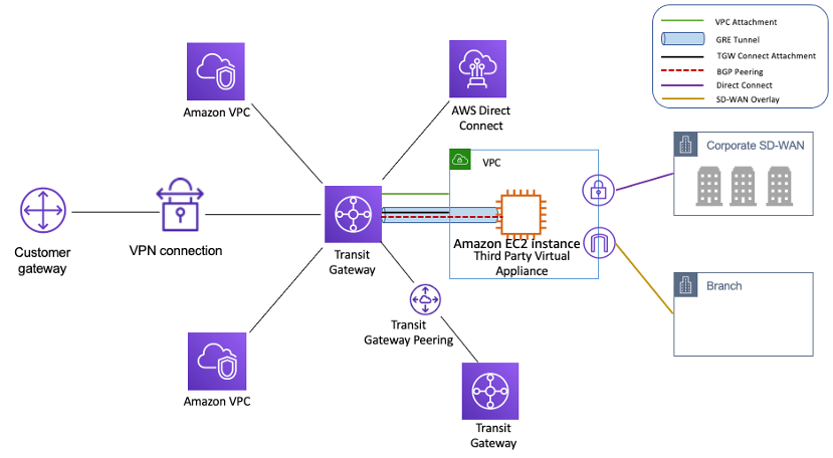
- Create Attachments: You create attachments to connect your VPCs and VPN/Direct Connect gateways to the Transit Gateway. Each attachment resides in an Availability Zone for high availability.
- Configure Route Tables: You define route tables within the Transit Gateway to control traffic flow between attached networks. These route tables determine which attachments can communicate with each other.
Analogy: Imagine a major airport. Instead of having direct flights between every possible city, you fly to the central airport (Transit Gateway) and then take a connecting flight to your final destination (another VPC or on-premises network). This simplifies the overall flight network and makes it easier to manage.
Practical Examples and Use-Cases
Let’s explore some real-world scenarios where Transit Gateway proves invaluable:
- Organizations with Multiple AWS Accounts: Large enterprises often organize their AWS resources into multiple accounts for security, billing, or organizational purposes. Transit Gateway simplifies cross-account VPC connectivity without the need for complex peering agreements across accounts.
- Hybrid Cloud Environments: Companies with both on-premises data centers and AWS infrastructure can use Transit Gateway to establish secure and scalable connectivity between their on-premises networks (via VPN or Direct Connect) and their various VPCs.
- Shared Services VPCs: Organizations often have dedicated VPCs for shared services like logging, monitoring, security tools, and CI/CD pipelines. Transit Gateway allows these shared services to be easily accessible by all other VPCs.
- Mergers and Acquisitions: When integrating the AWS environments of two or more companies, Transit Gateway provides a straightforward way to connect their respective VPCs.
Step-by-Step: Connecting a VPC to Transit Gateway
Here’s a simplified overview of the steps involved in connecting a VPC to an existing Transit Gateway:
- Identify the VPC and Subnets: Determine the VPC you want to connect and the subnets whose traffic you want to route through the Transit Gateway.
- Create a Transit Gateway Attachment: In the AWS Management Console, navigate to the VPC service, then Transit Gateways, and select “Create Transit Gateway Attachment.”
- Configure Attachment Details:
- Choose the Transit Gateway ID.
- Select “VPC” as the Attachment type.
- Choose the VPC ID.
- Select one subnet per Availability Zone for the attachment. These subnets will host the Elastic Network Interfaces (ENIs) that connect the VPC to the Transit Gateway.
- Update VPC Route Tables: Modify the route tables of the subnets you selected in step 3 to route traffic destined for other connected networks (e.g., other VPCs, on-premises) to the Transit Gateway. The destination will be the CIDR ranges of the other networks, and the target will be the Transit Gateway attachment ID.
You can find detailed step-by-step instructions with screenshots in the AWS documentation.
Advanced Considerations
While Transit Gateway simplifies connectivity, here are some advanced aspects to keep in mind:
- Transit Gateway Route Tables: You can create multiple route tables within a single Transit Gateway. This allows you to segment traffic and implement network isolation between different groups of connected networks. For example, you might have a route table that allows production VPCs to communicate with each other but not directly with development VPCs.
- Security Groups and Network ACLs: Standard AWS security best practices still apply. You’ll need to configure Security Groups and Network ACLs within your VPCs to control traffic flow at the instance and subnet levels, respectively, even when using Transit Gateway.
- Traffic Inspection: For security and compliance purposes, you might need to inspect traffic flowing through the Transit Gateway. This can be achieved by routing traffic through dedicated inspection VPCs containing security appliances.
- Inter-Region Transit Gateway Peering: AWS allows you to peer Transit Gateways across different AWS Regions. This enables you to build global networks and facilitate communication between resources in different geographical locations.
Key Takeaways
- AWS Transit Gateway acts as a central hub, simplifying network connectivity between multiple VPCs and on-premises environments.
- It solves the scalability and management challenges associated with traditional VPC peering.
- Transit Gateway enables transitive routing, allowing any connected network to communicate with any other connected network (based on route table configurations).
- It provides a centralized point for managing routing policies and can facilitate enhanced security and monitoring.
- Understanding Transit Gateway route tables and attachment types is crucial for designing effective network architectures.
By adopting AWS Transit Gateway, enterprises can build scalable, manageable, and secure network architectures on AWS, paving the way for continued growth and innovation in the cloud.